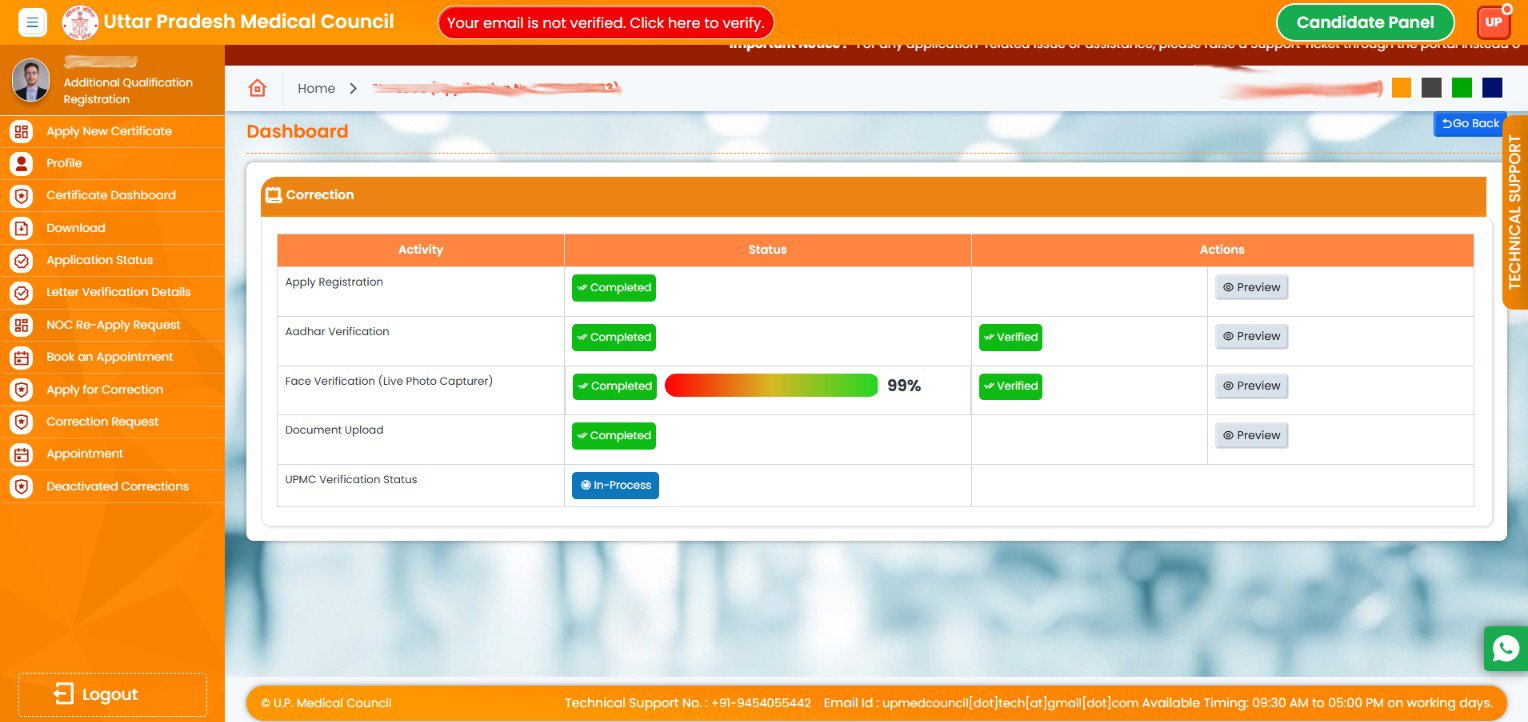
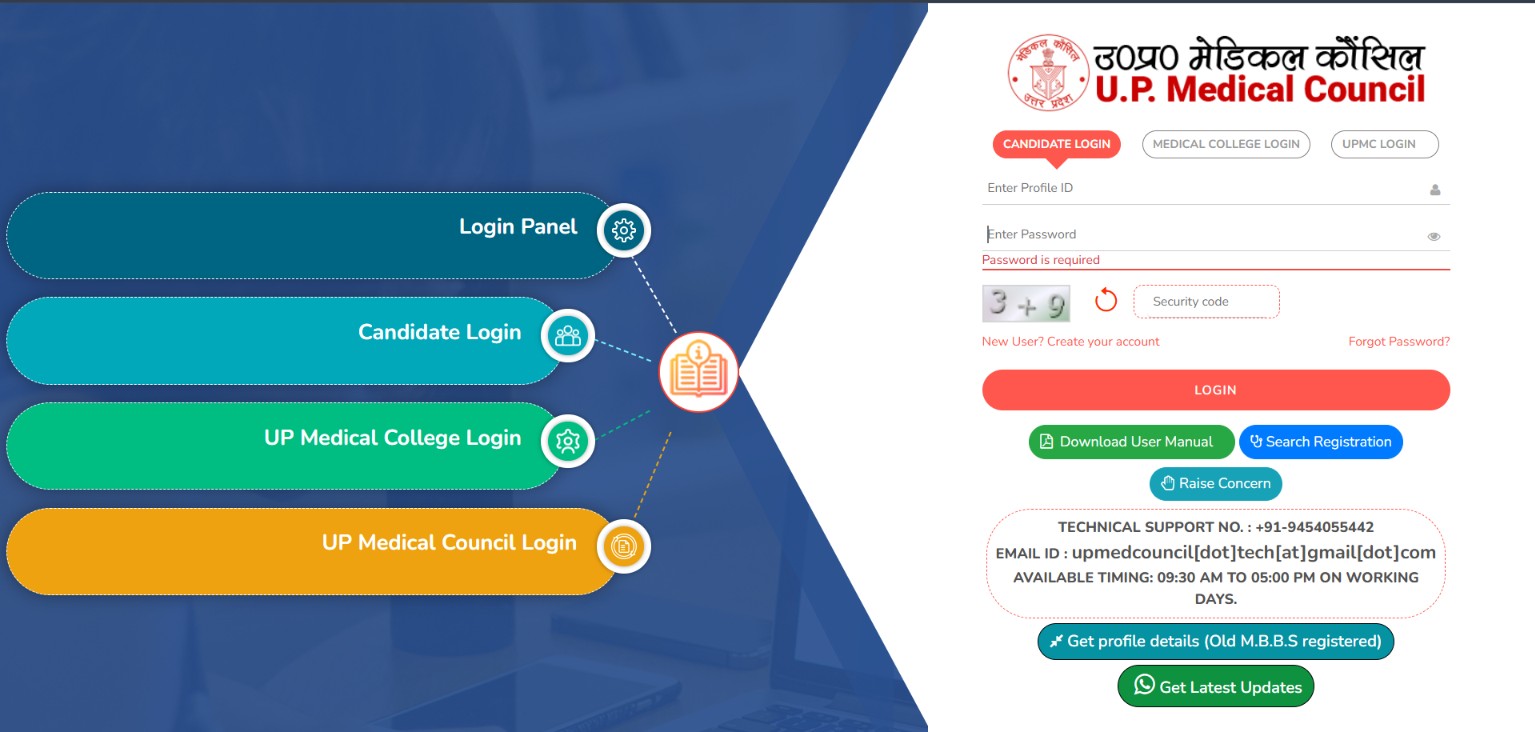
1. Open the UPMC Portal.
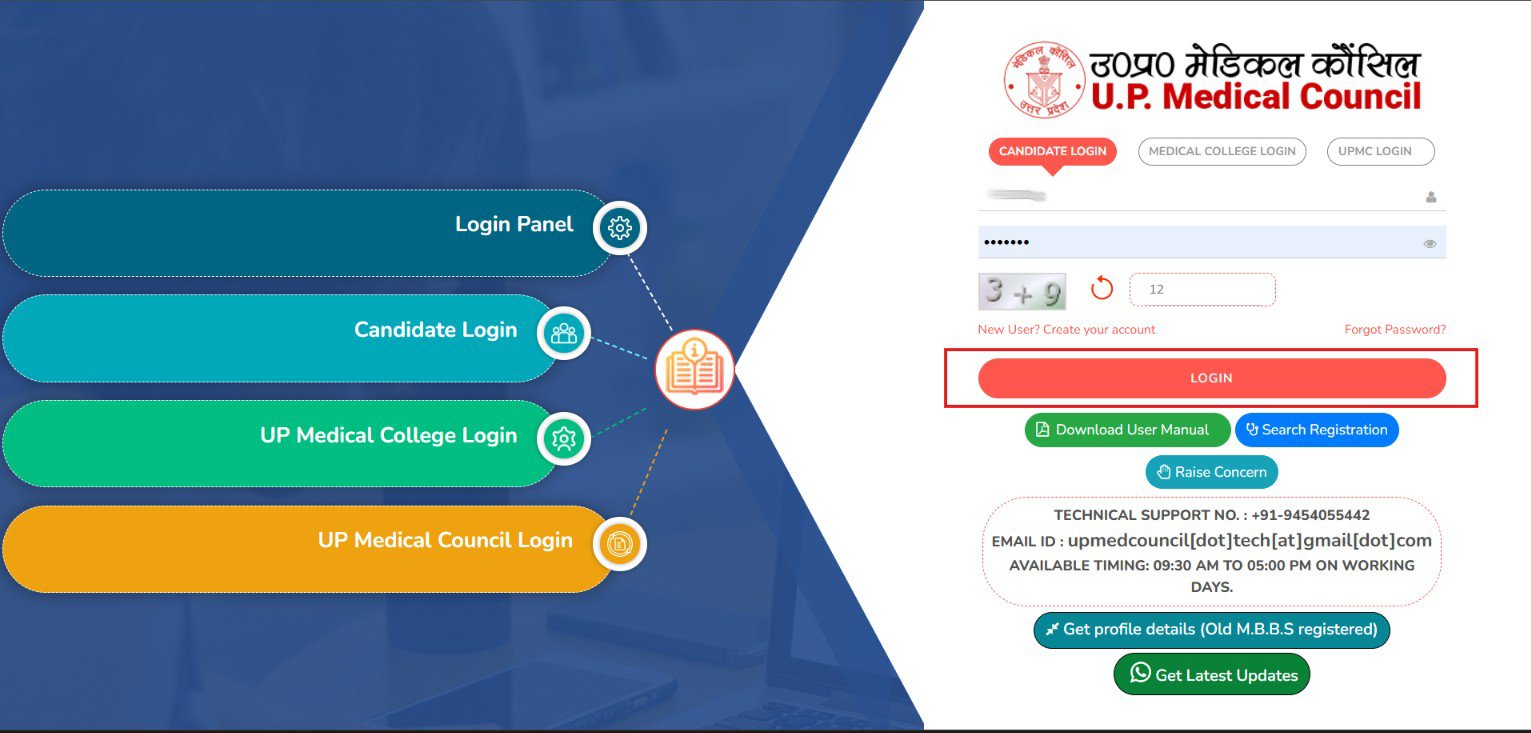
2. Click on Get Profile Details(Old M.B.B.S Registered).
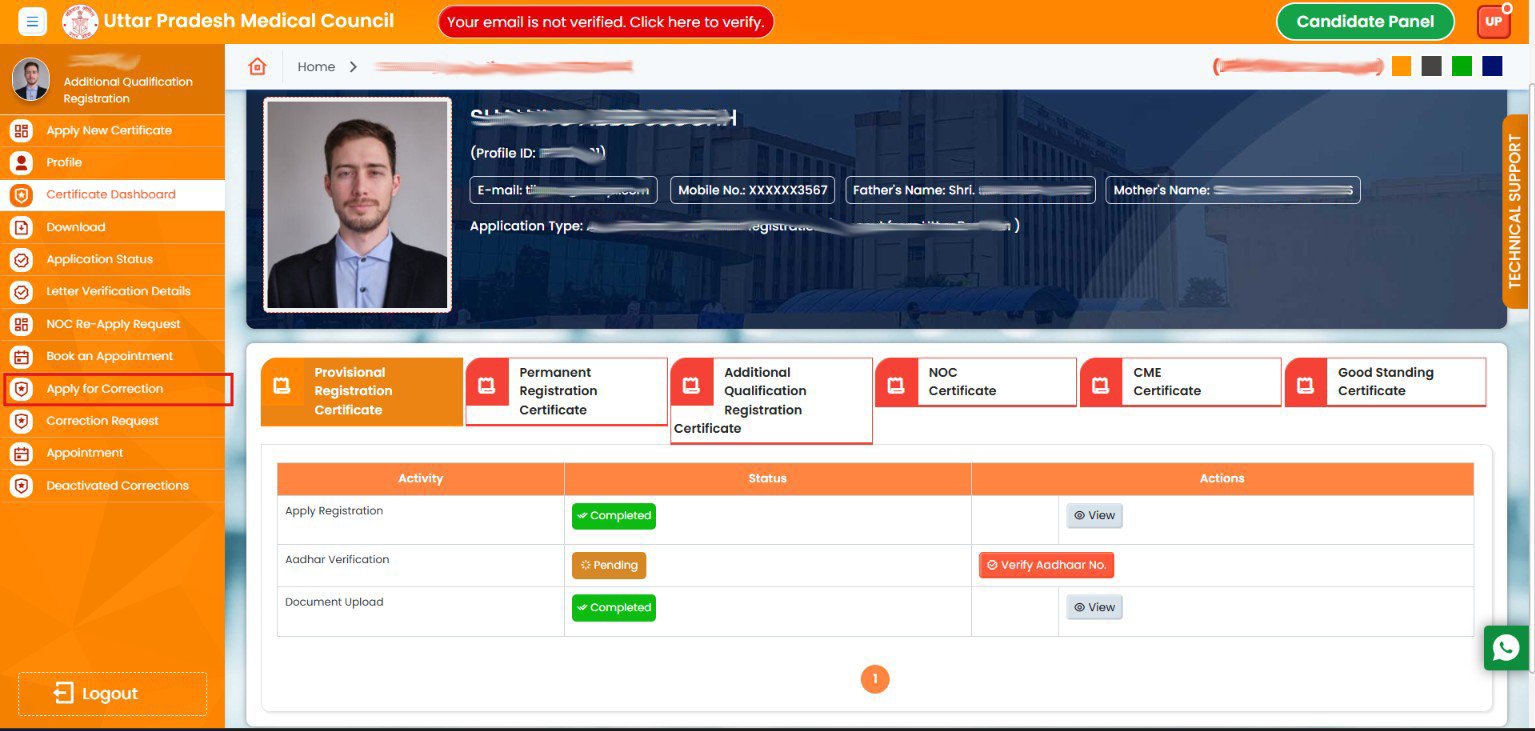
3. Click on Apply for Correction.

4. Click on Correction Box.
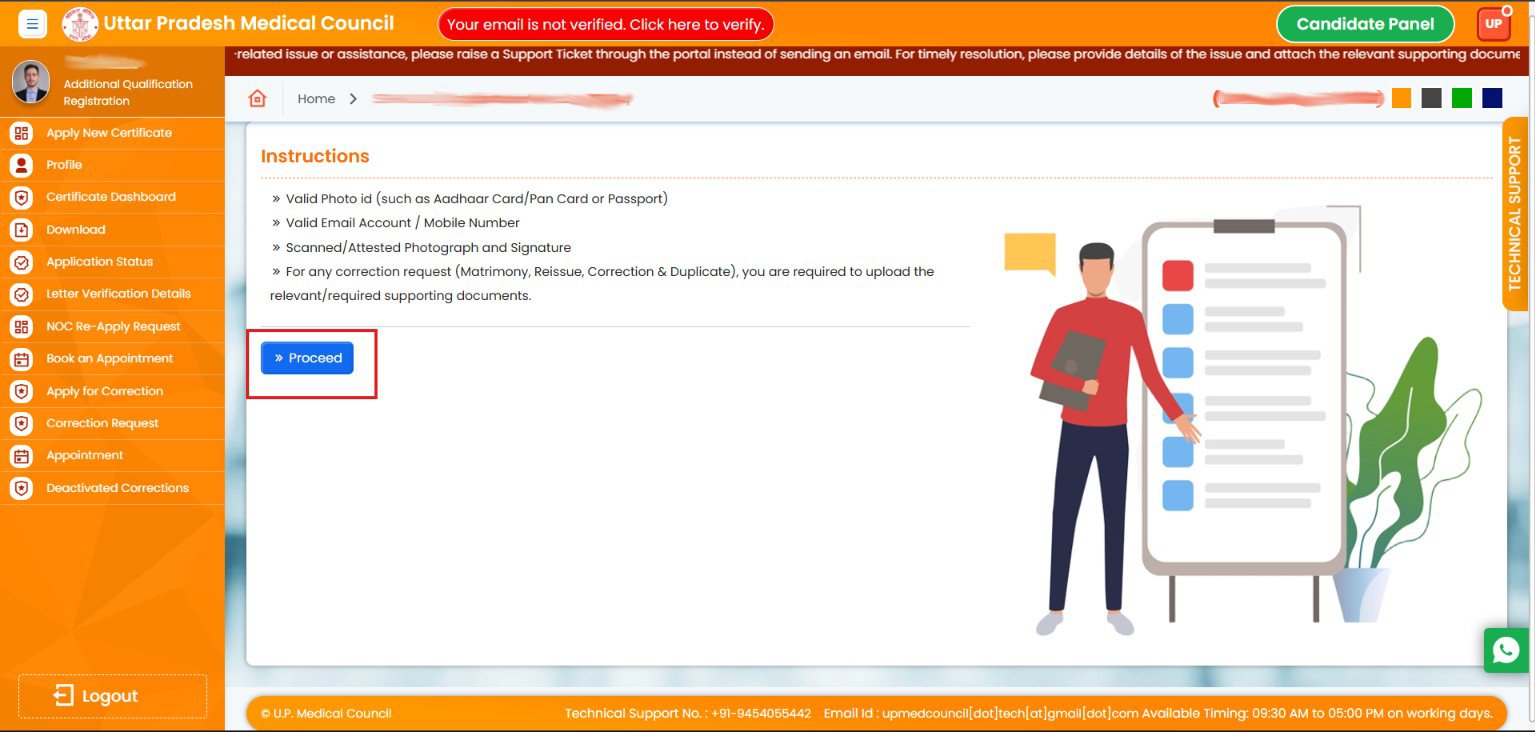
5. Read the instructions and Click on “Proceed” button.
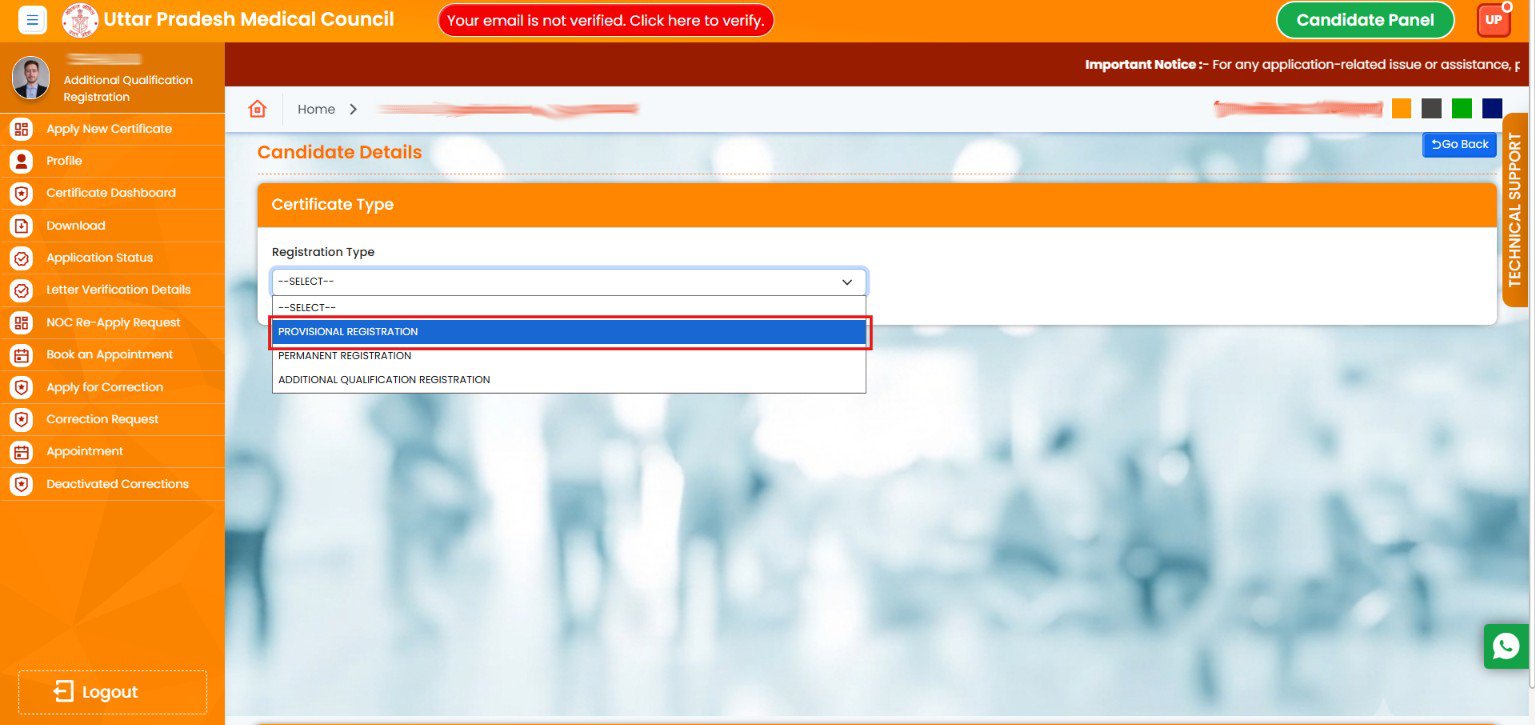
6. Select your Registration Type.
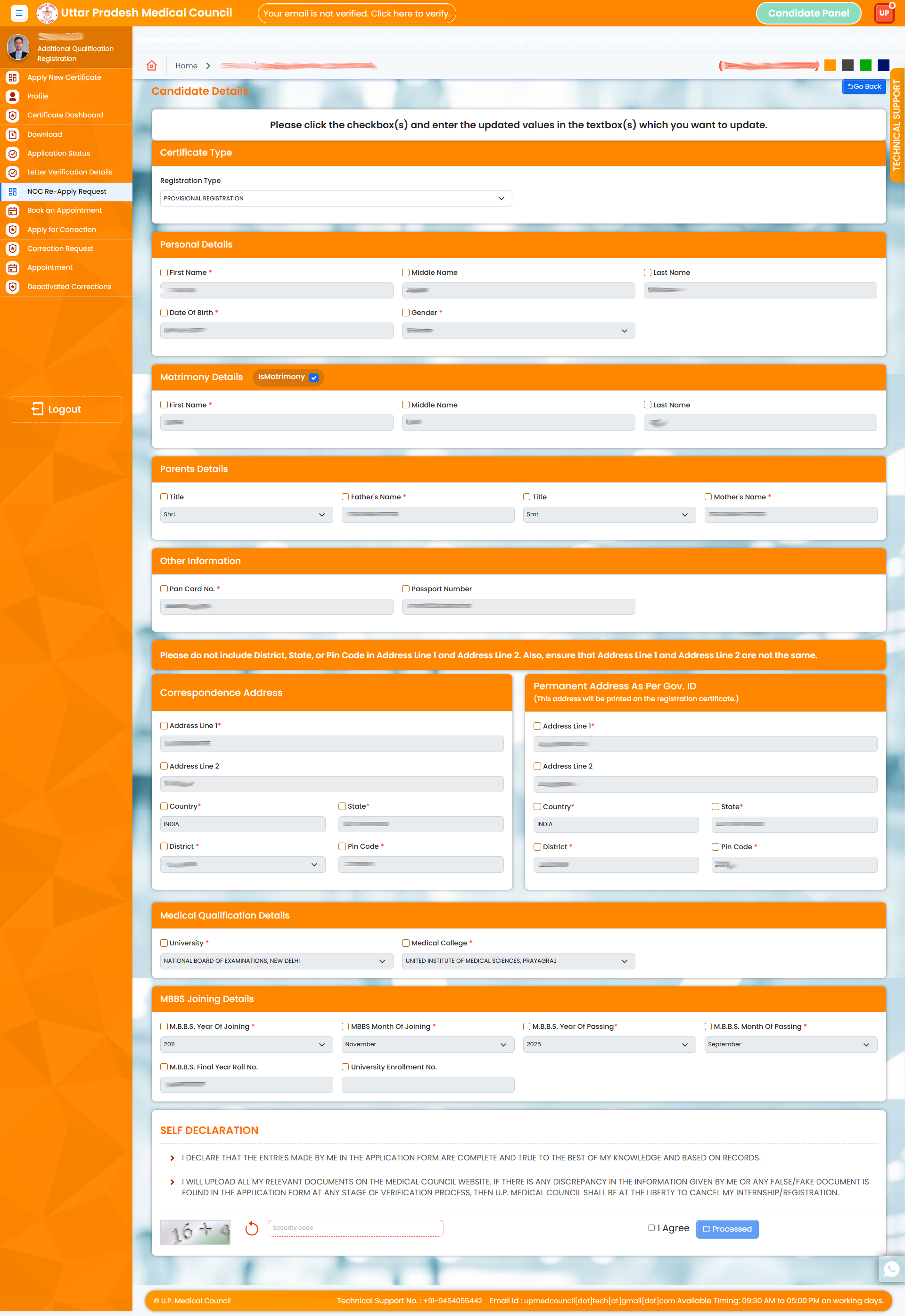
7. Check the checkbox and update details which you want to correct.
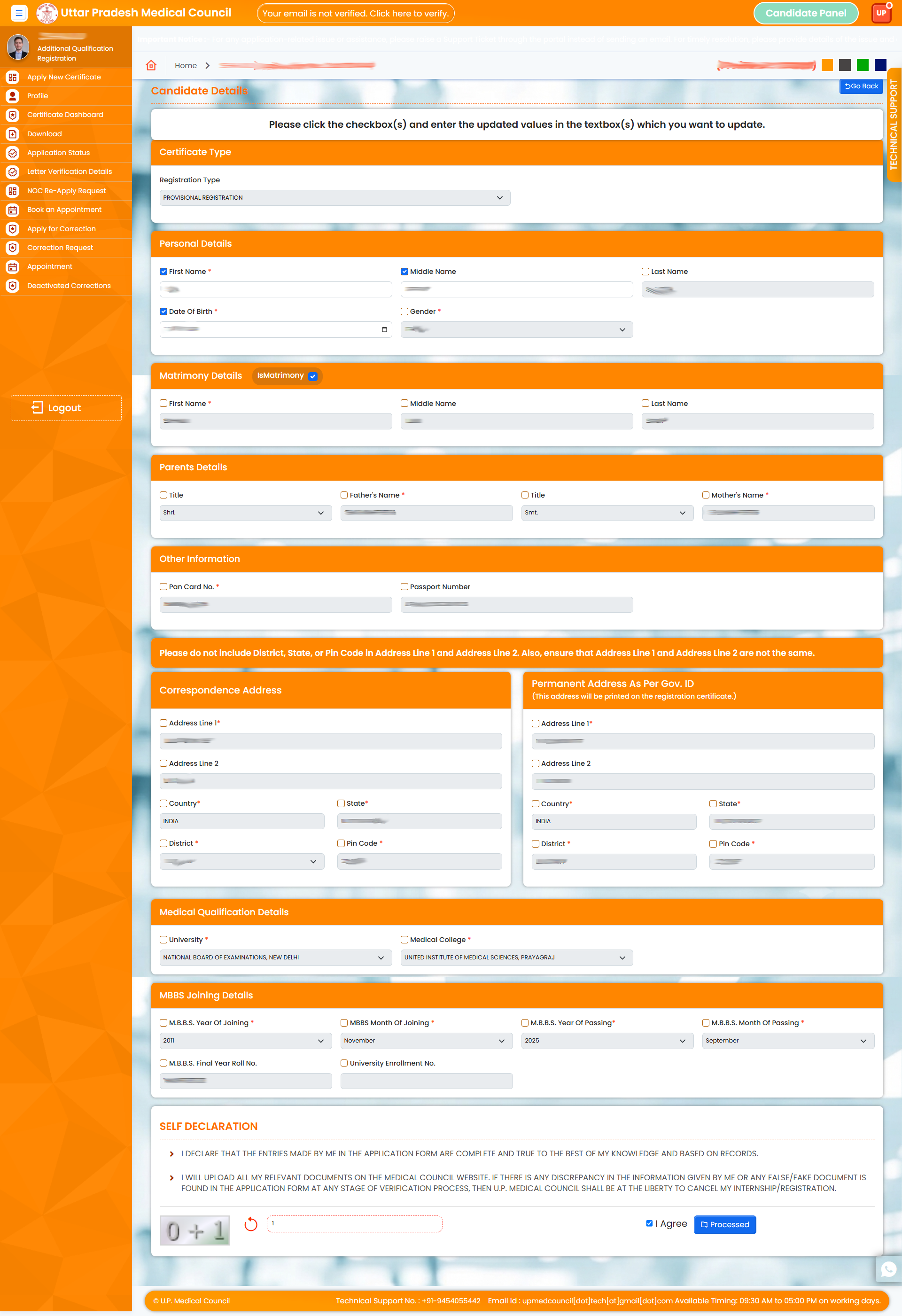
8. Fill Security Code.
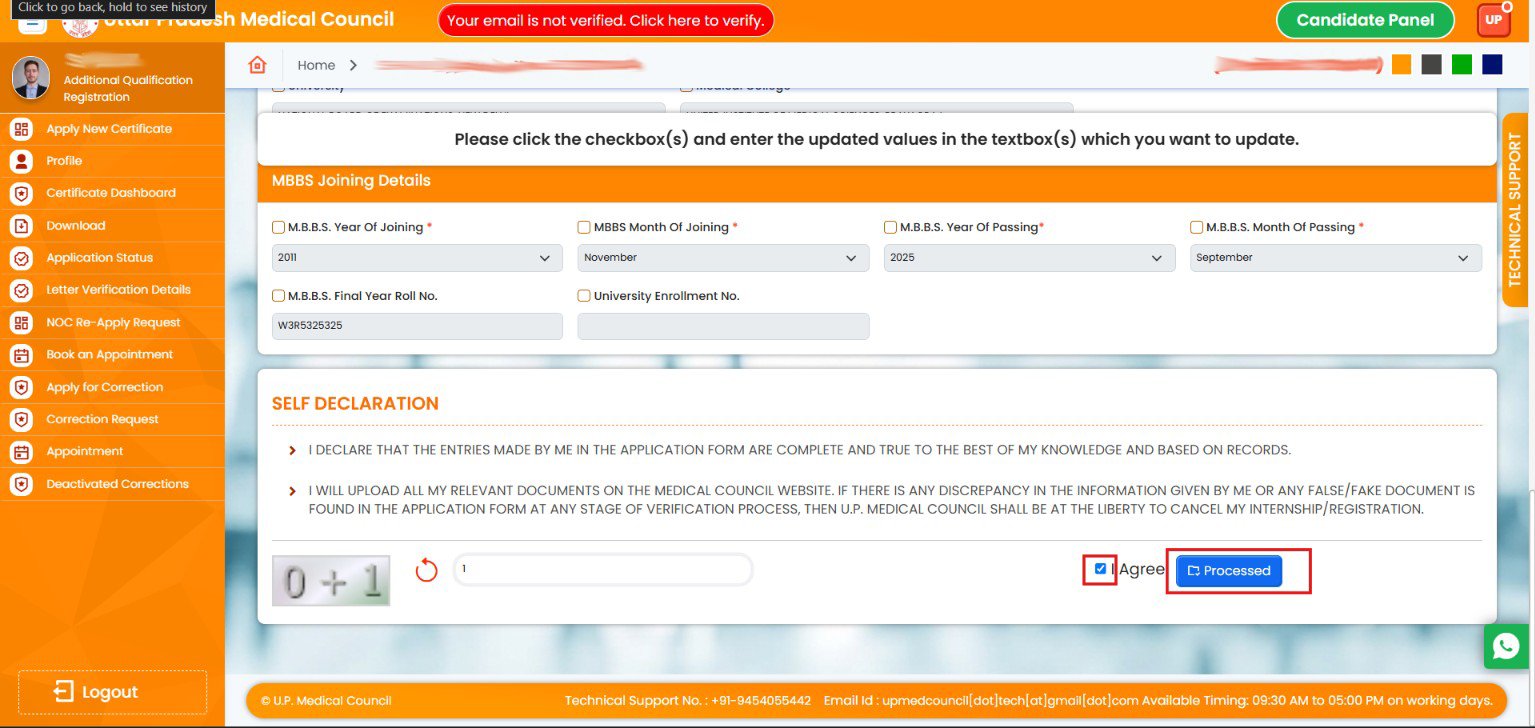
9. Check I Agree Checkbox and click on Proceed button.
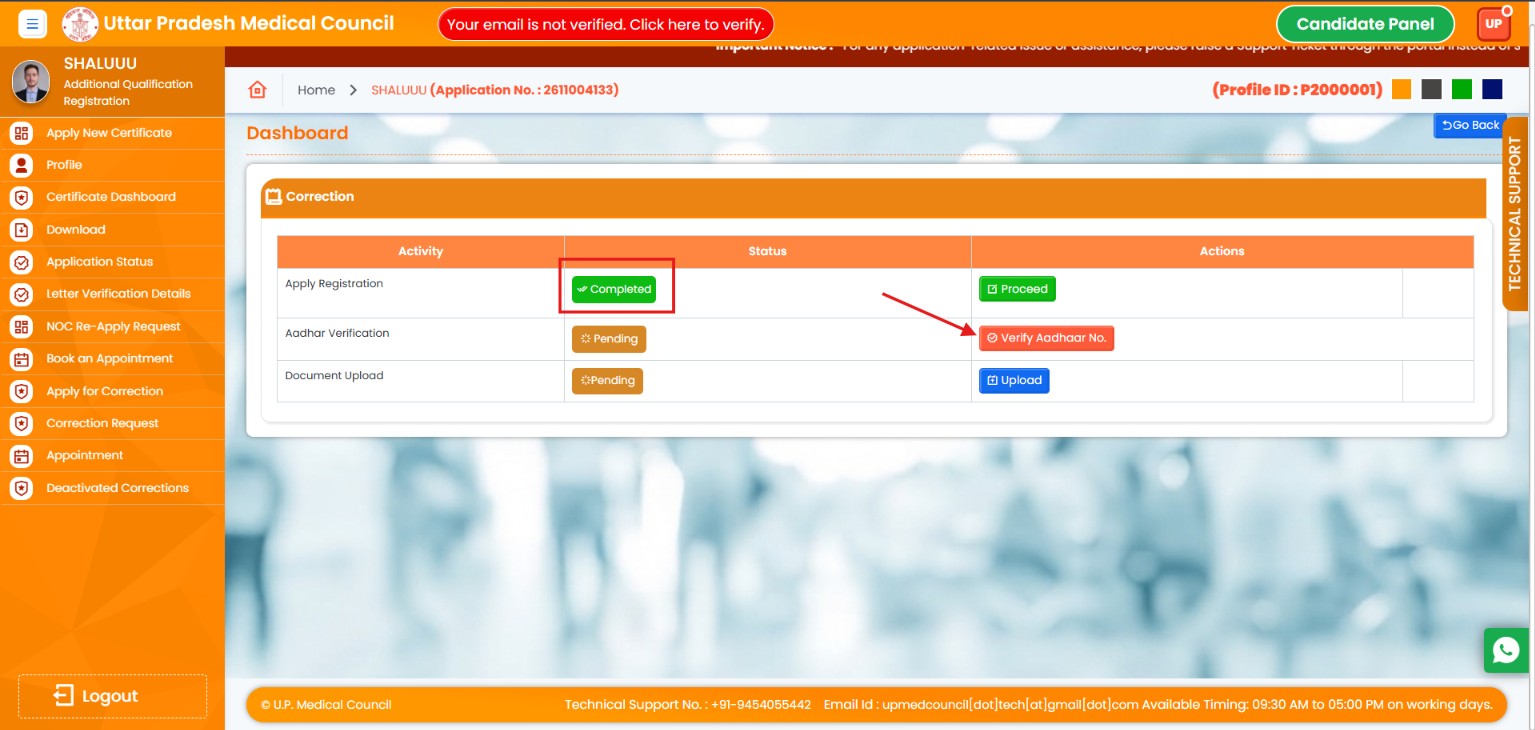
10. Here is your Current Status Now Proceed for Aadhaar Verification.
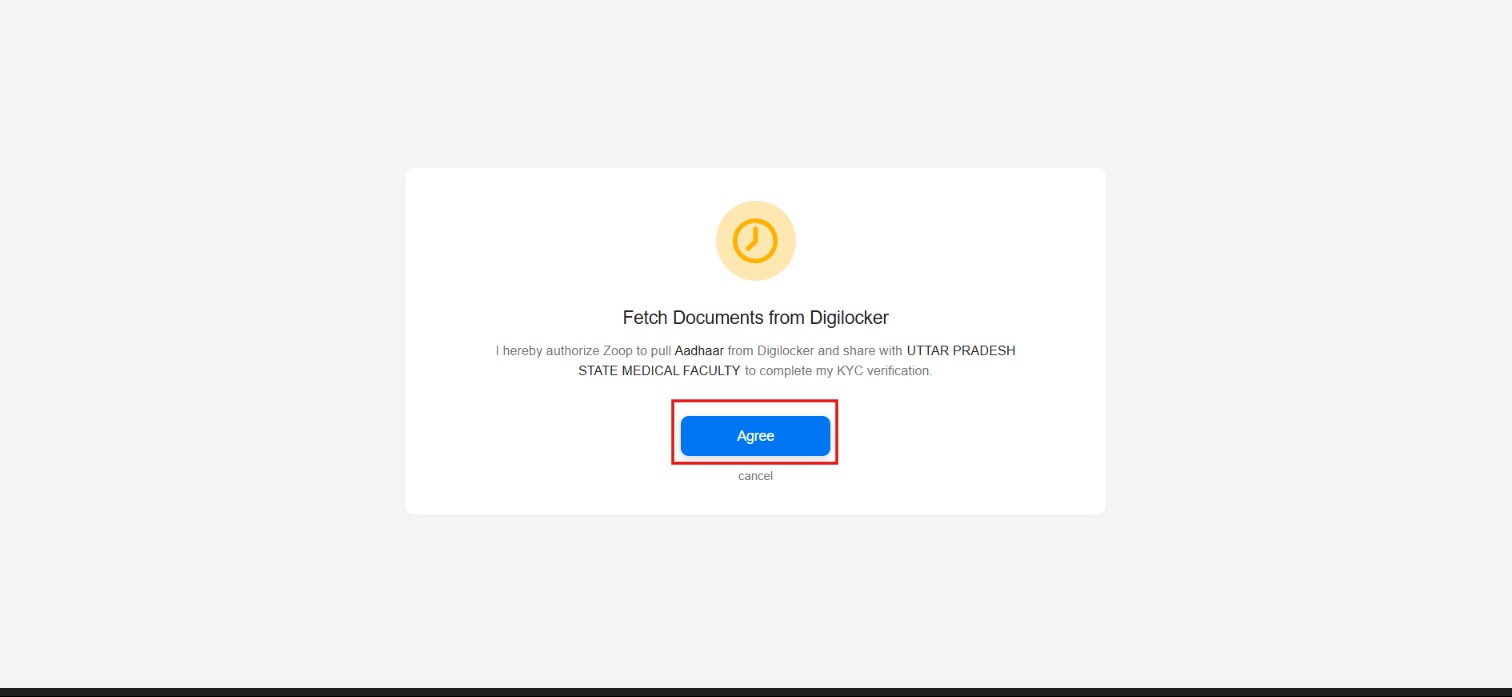
11. Click on I Agree.
12. Fill Your Aadhaar Number and Click on proceed and Complete you Aadhar Verification Process.
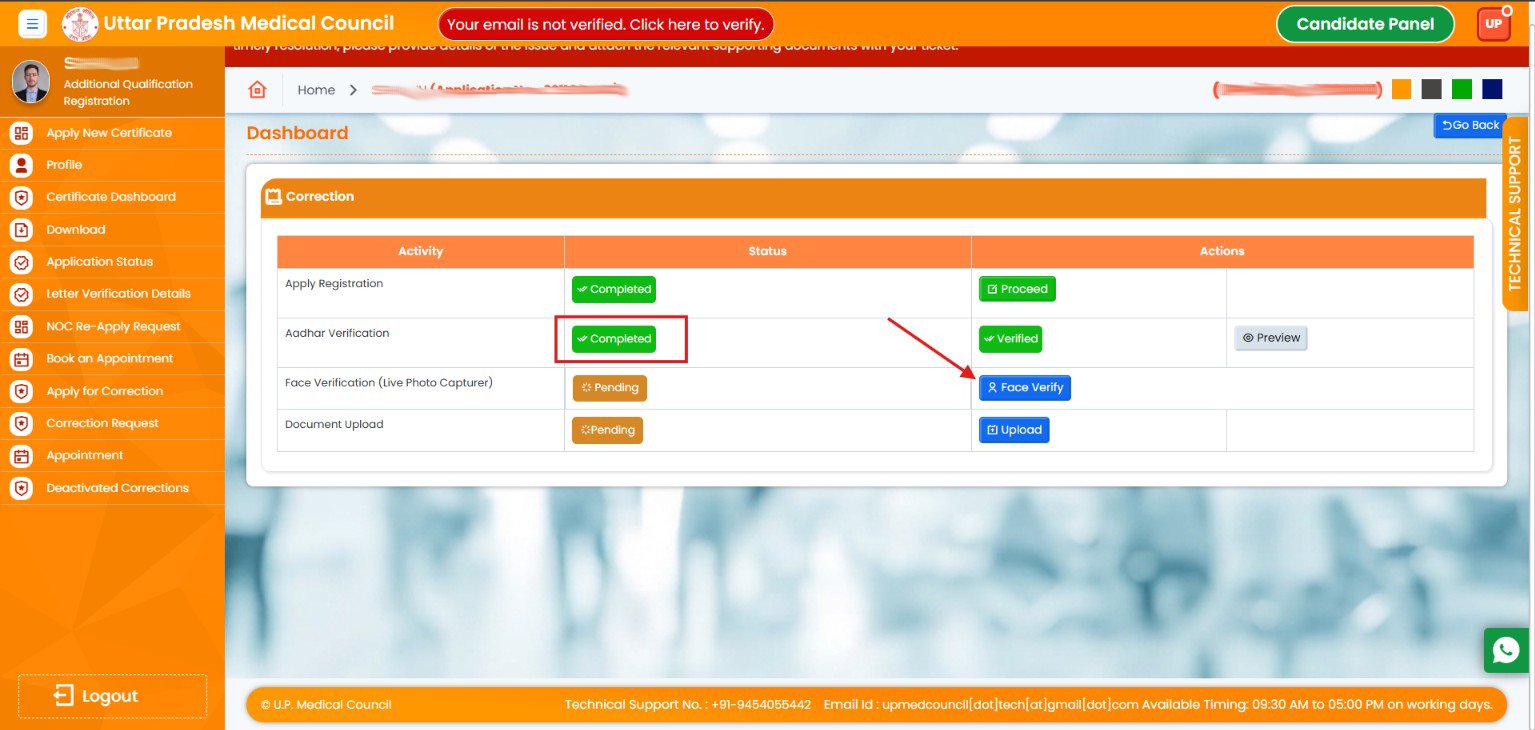
13. Click On Face Verify.
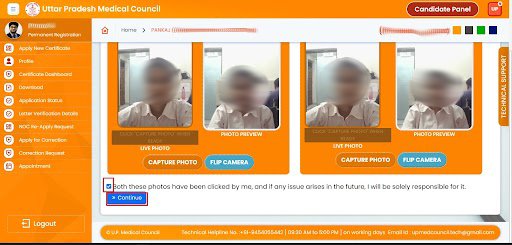
14. Capture your Live Photo and click on Continue button.
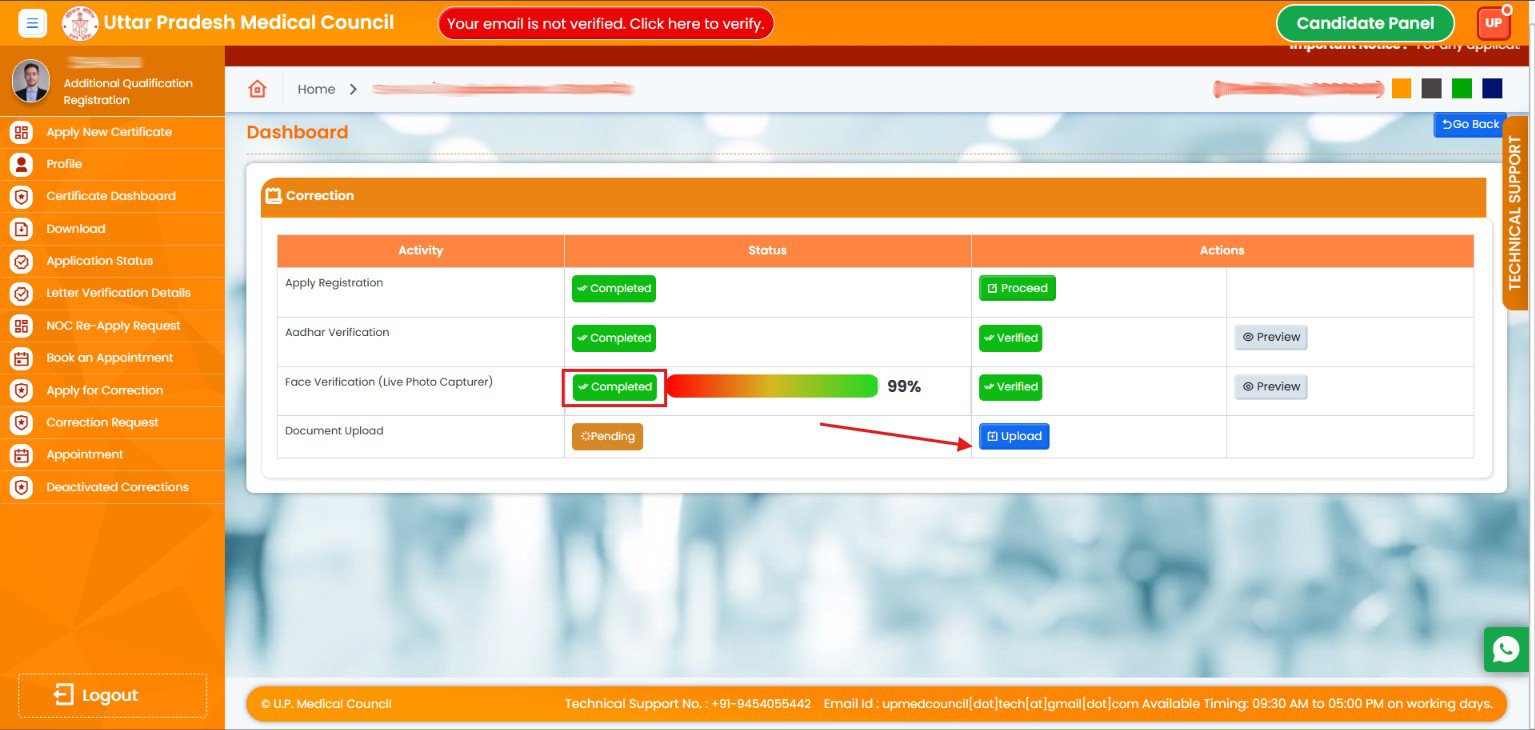
15. Click on Document Upload button.
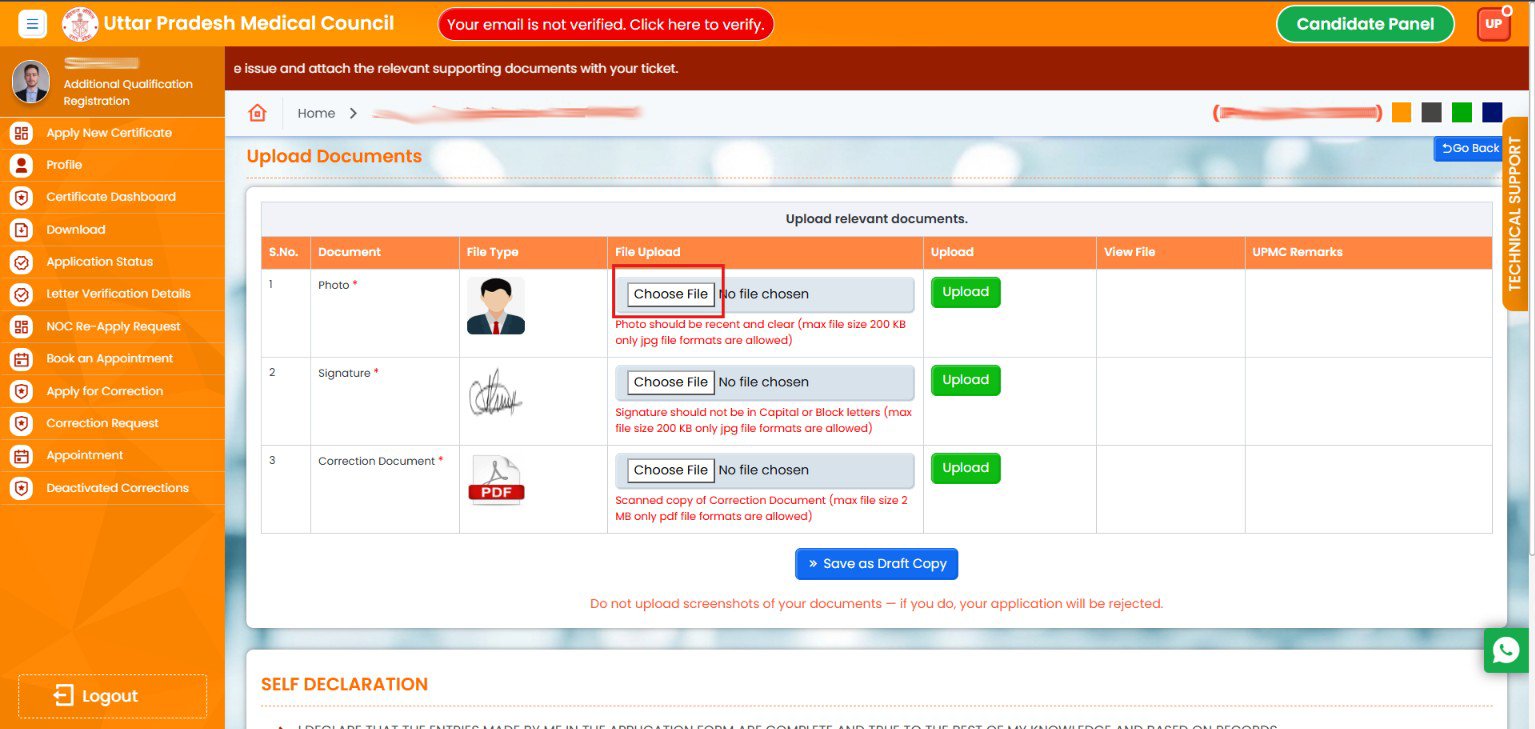
16. Upload all the required Documents.
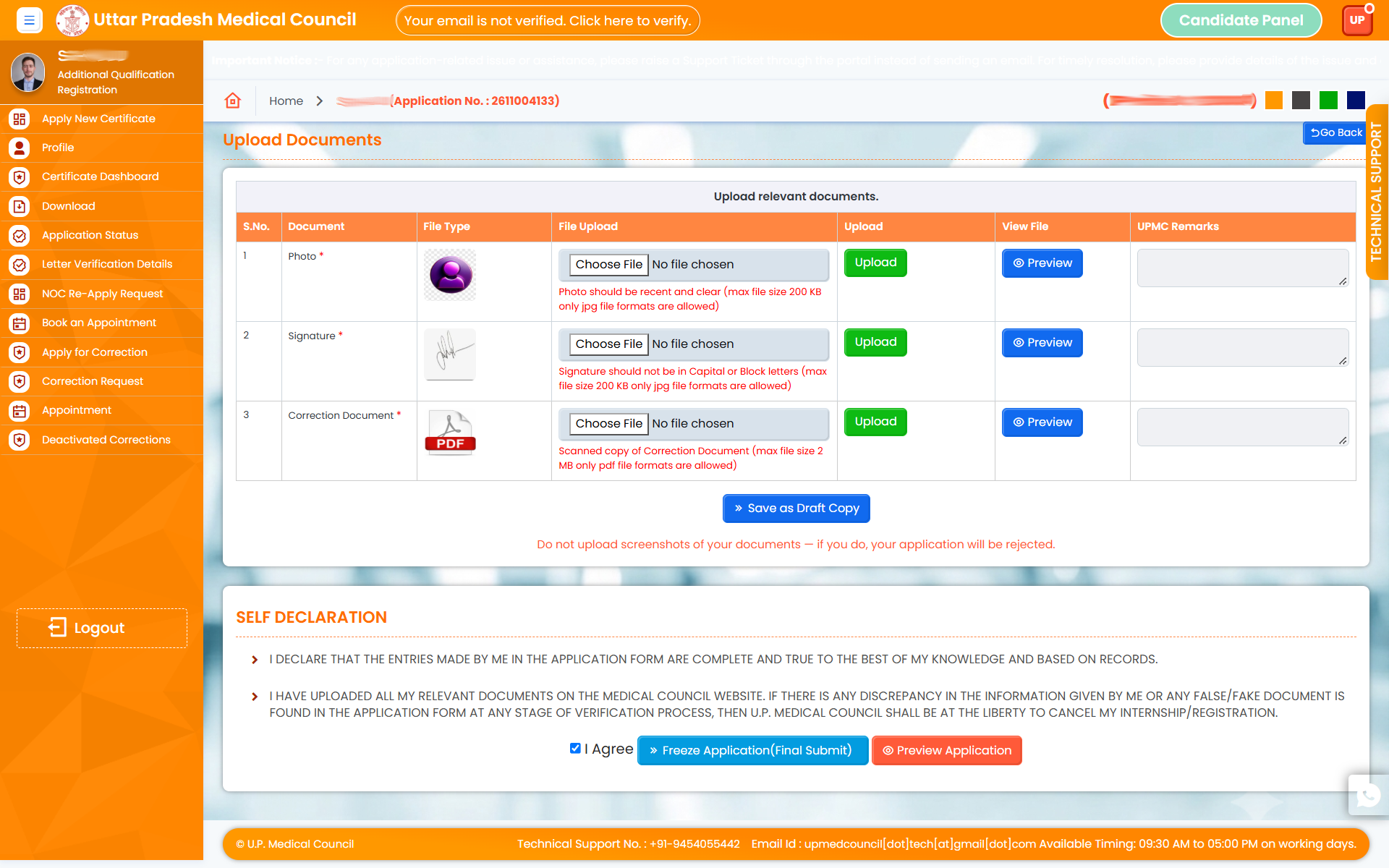
17. After uploading all the documents click on Save as Draft Button.
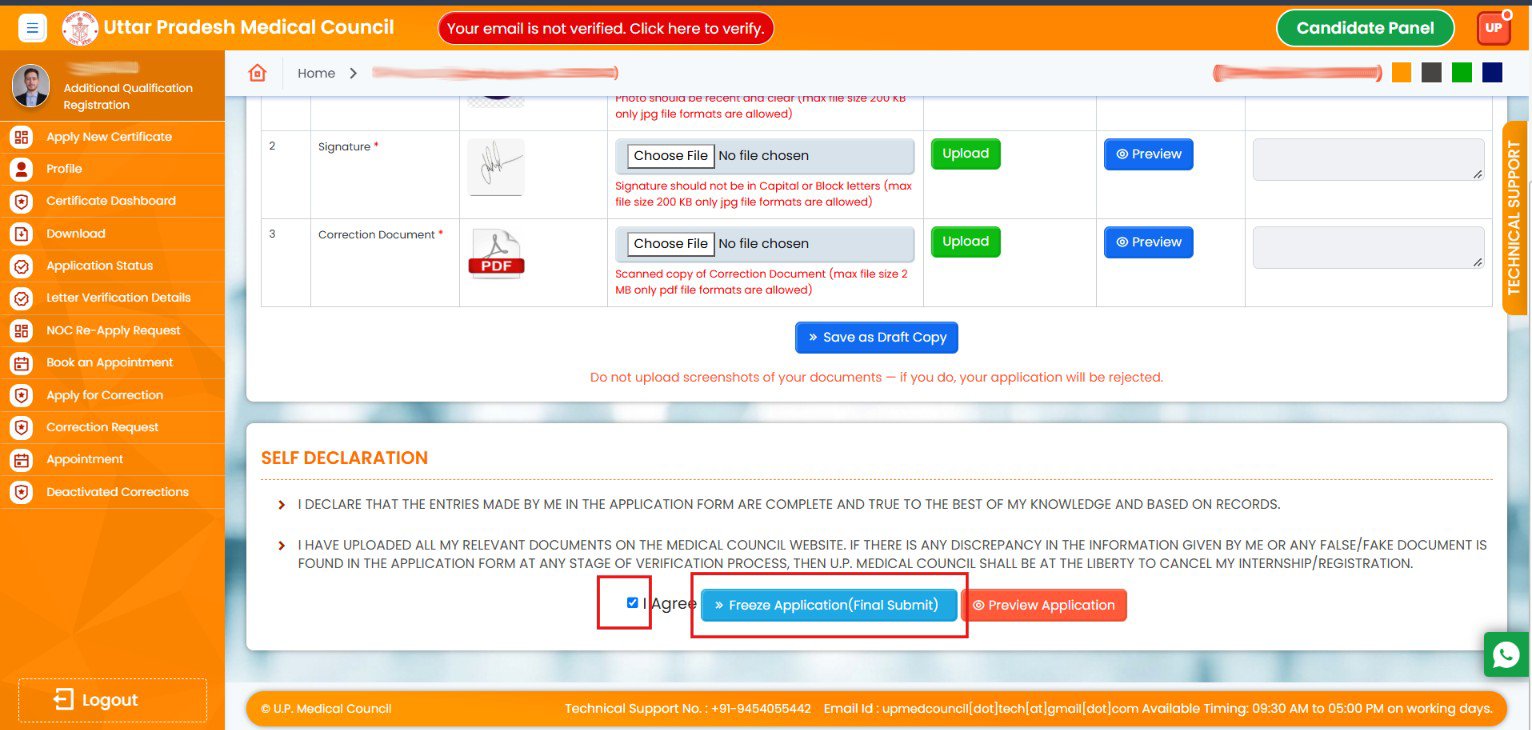
18. Fill the security code and check I Agree and Click on Freeze application to submit Application finally.
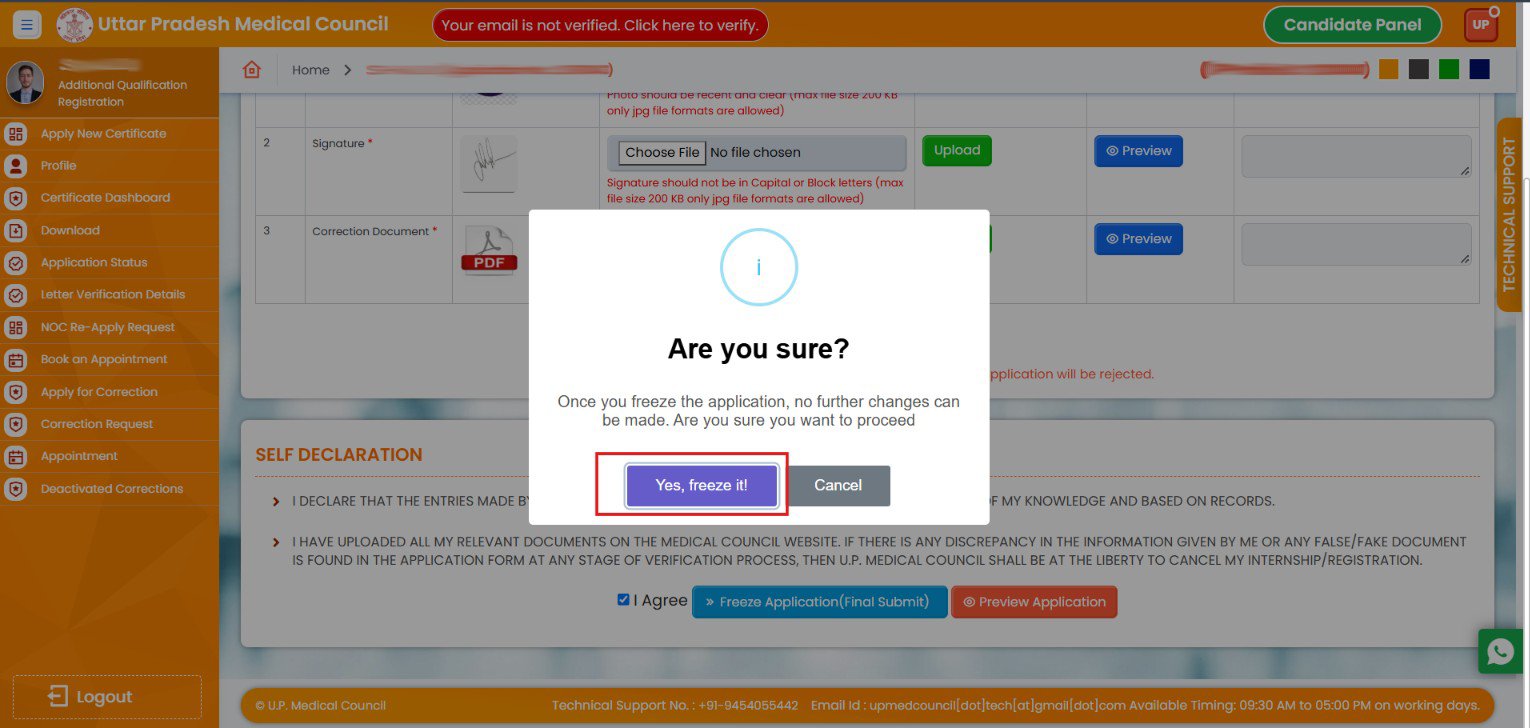
19. Click on Yes,freeze it Button.