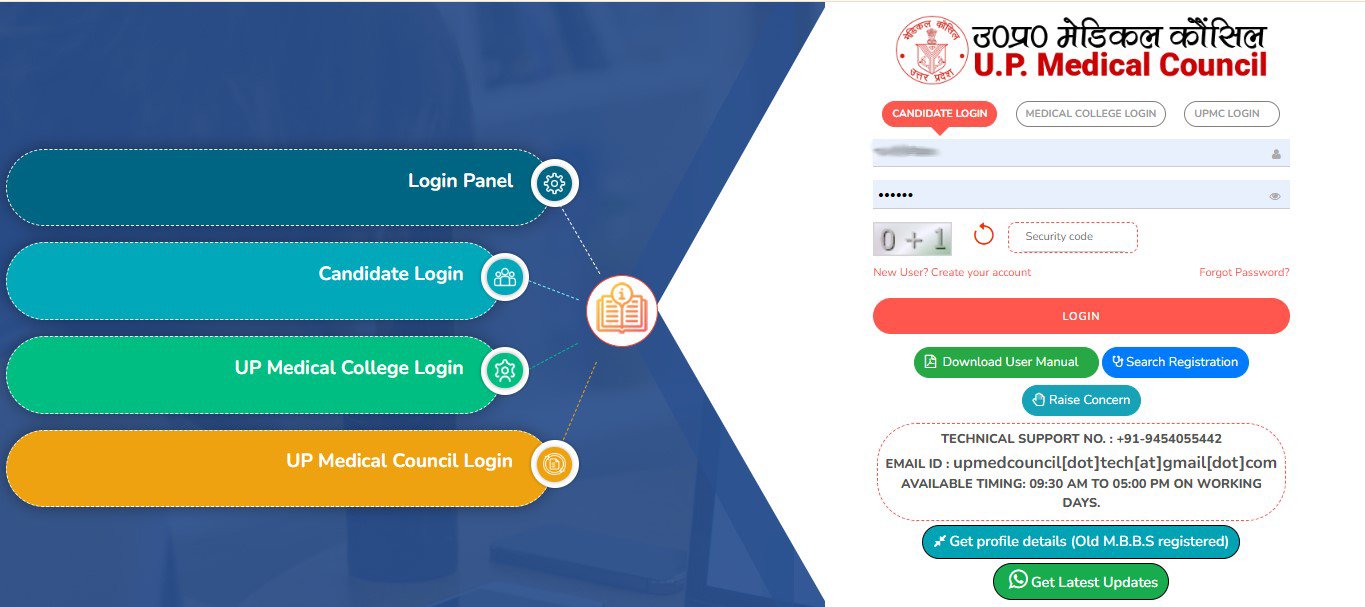
1. Open the UPMC Portal.
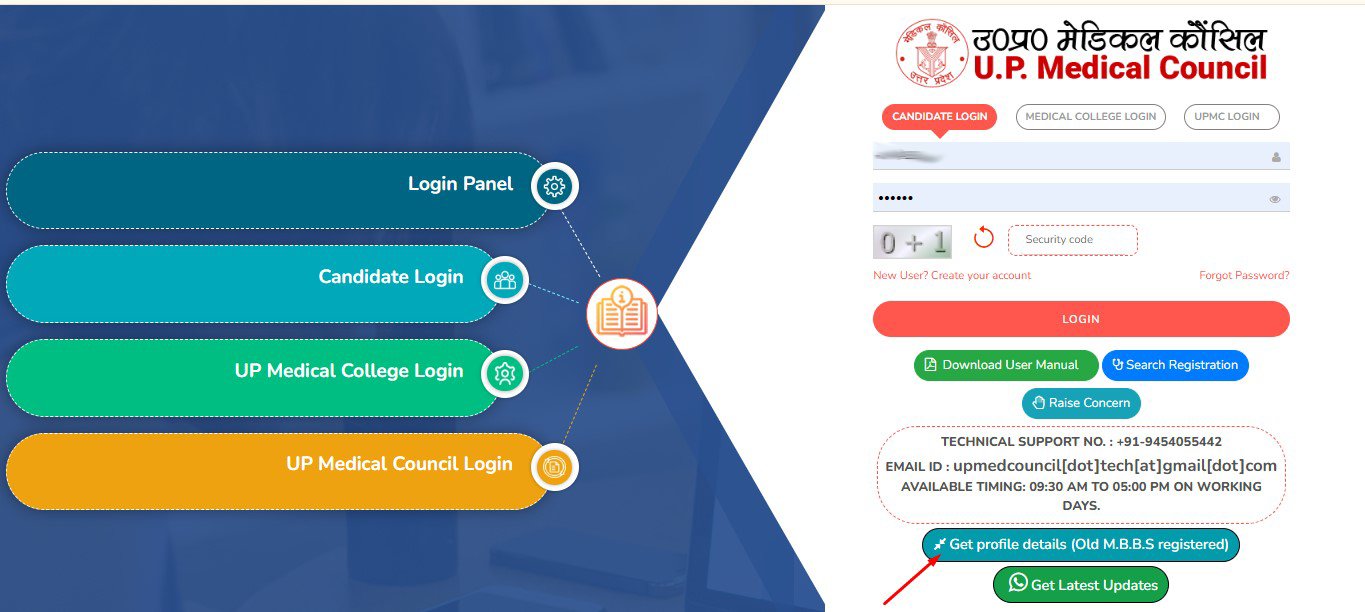
2. Click on Get Profile Details(Old M.B.B.S Registered).
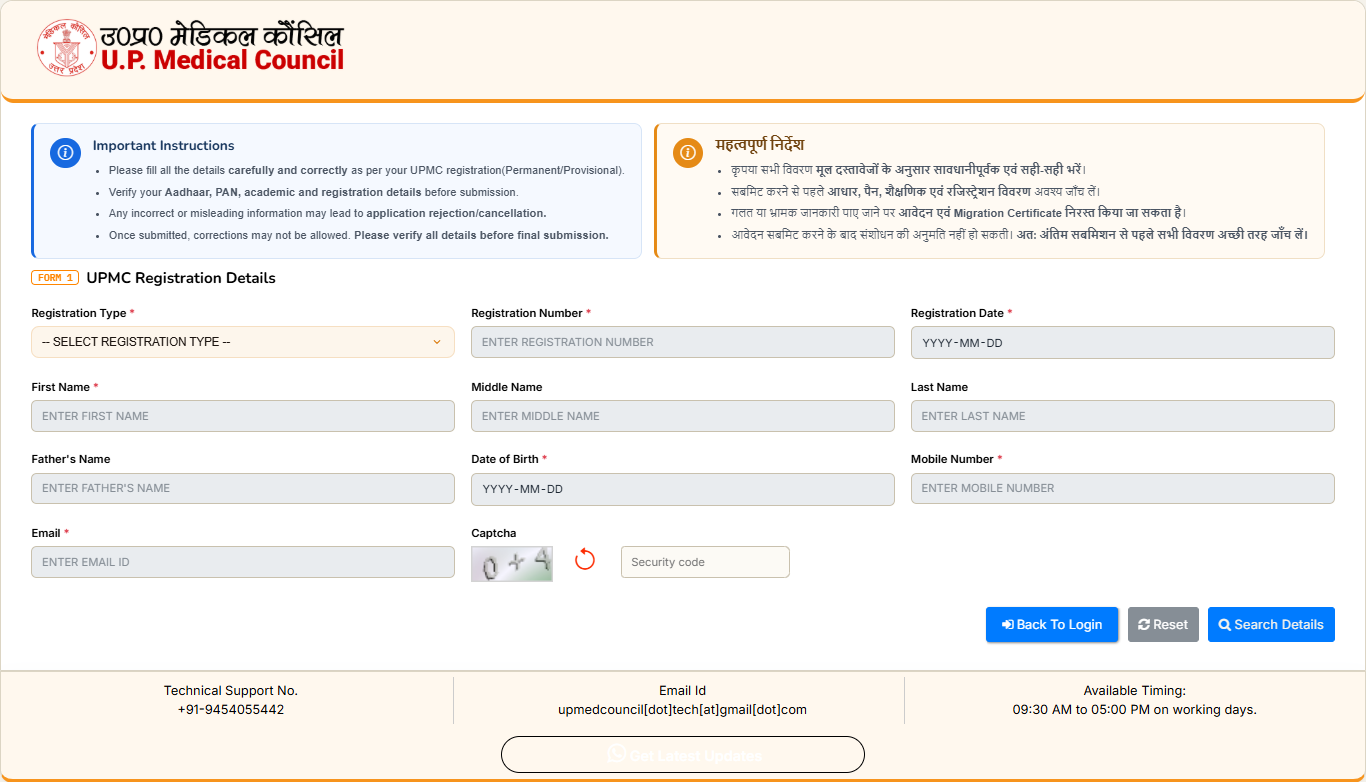
3. Read the Instructions and Enter all the required details (Note: Fields marked with (*) are mandatory/required.).
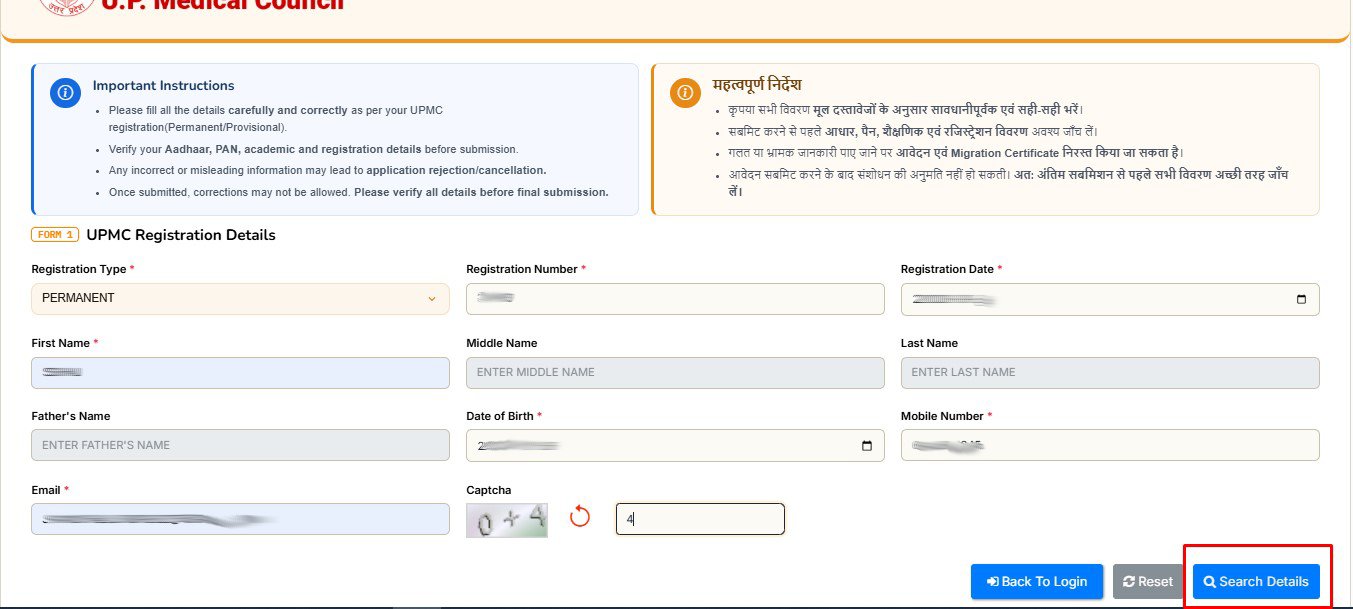
4. Enter the Captcha and click on “Search Details” button.
(If No Record Found Please Click Here)
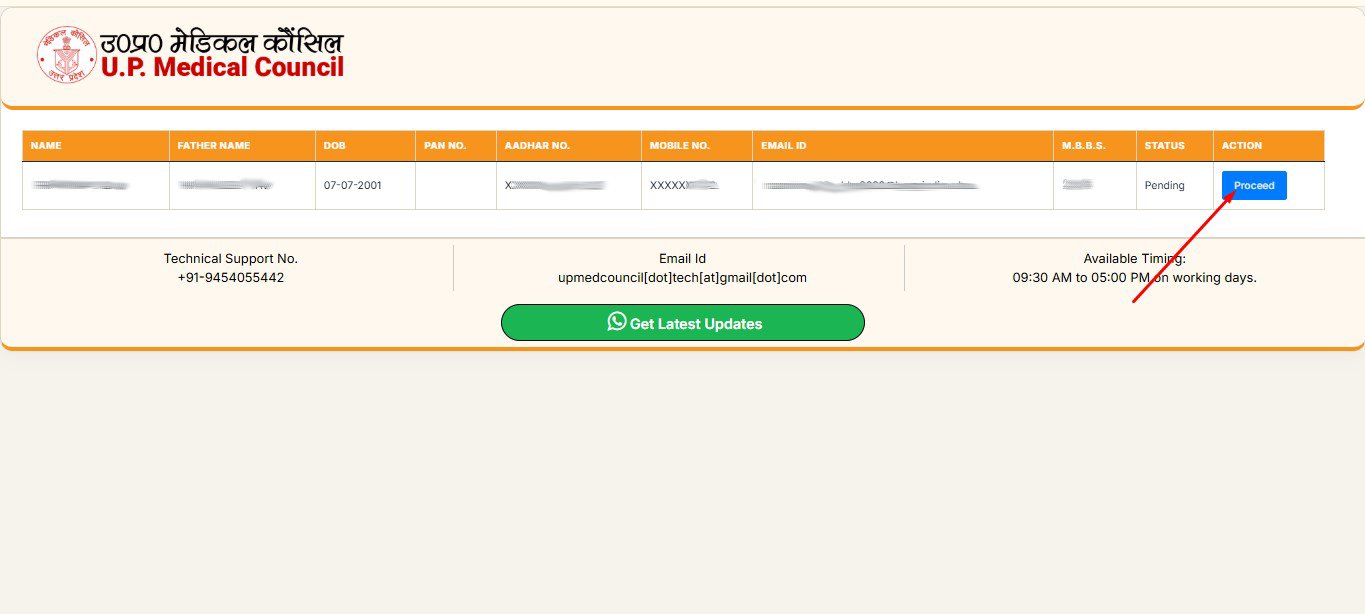
5. Your entered details will be displayed. Click on “Proceed” button.
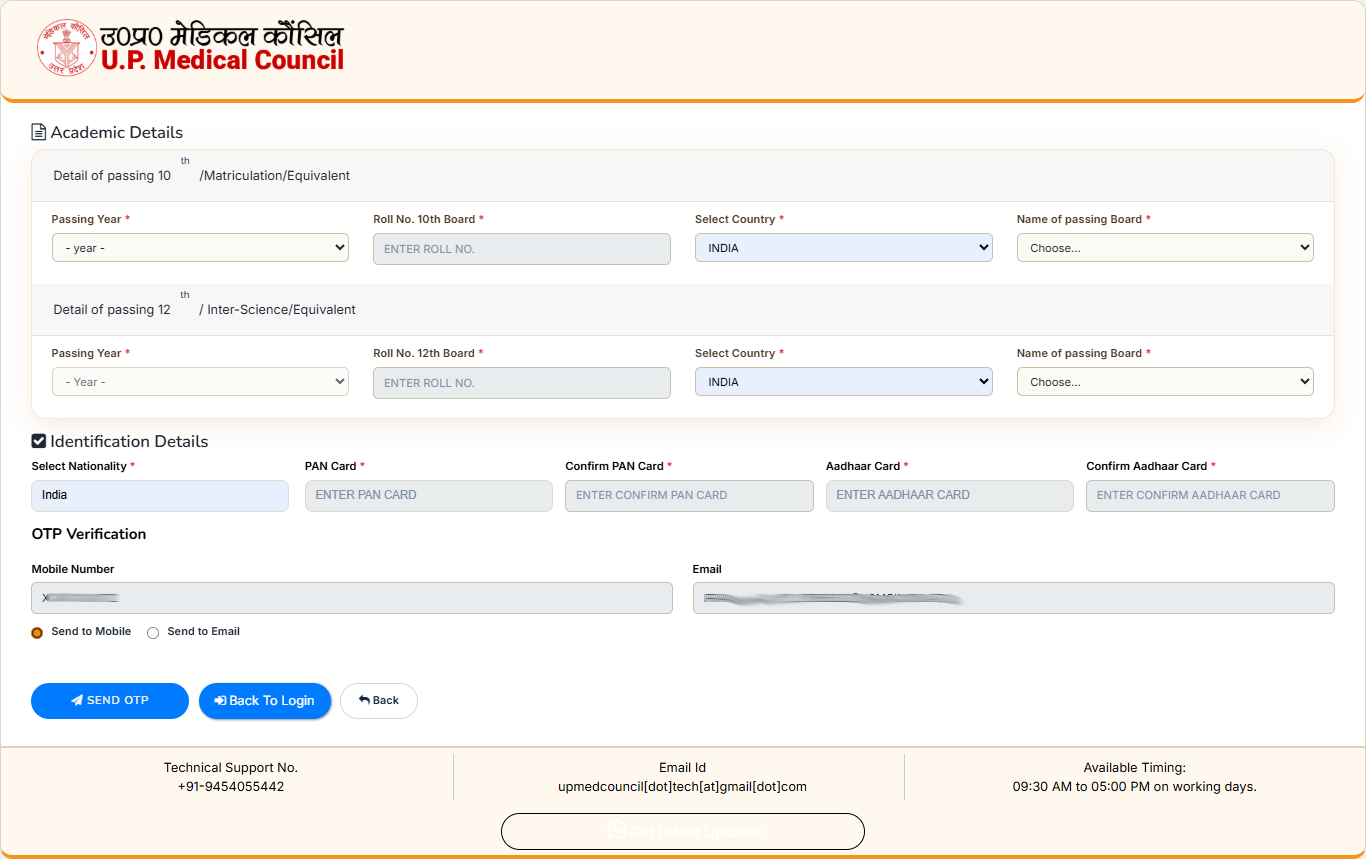
6. Fill your High School & Intermediate Details.
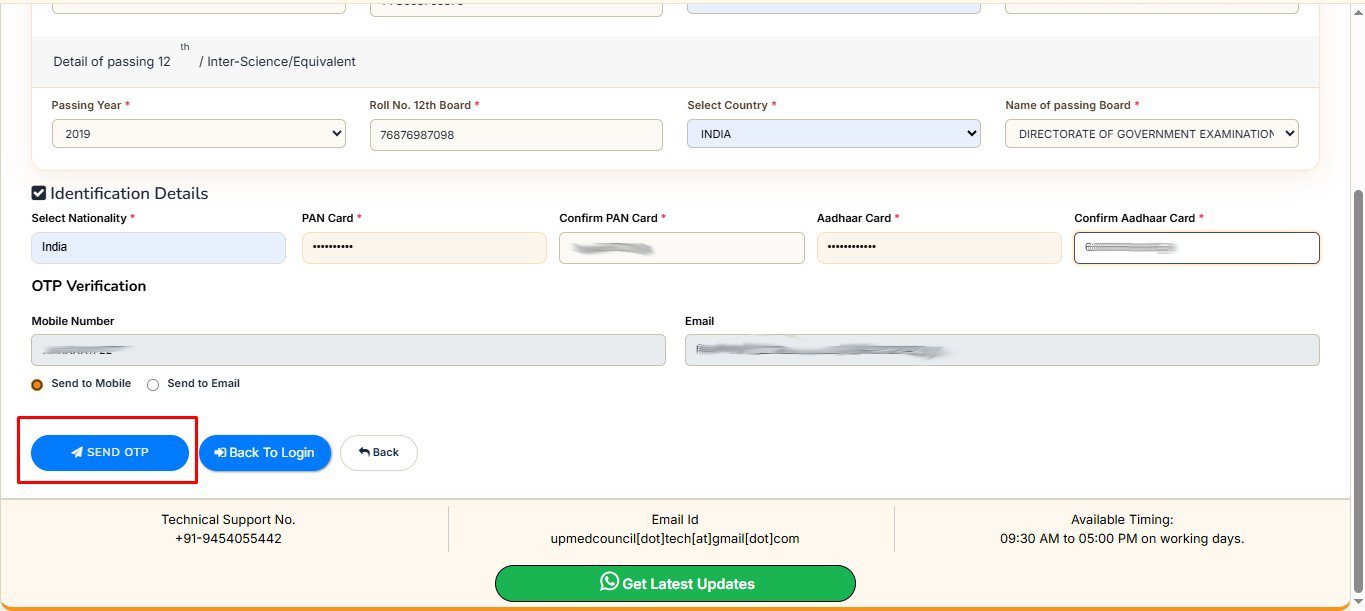
7. Complete the Otp Verification via Registered Email Id or Mobile No. Click “Send OTP” via Email Id or Mobile No.
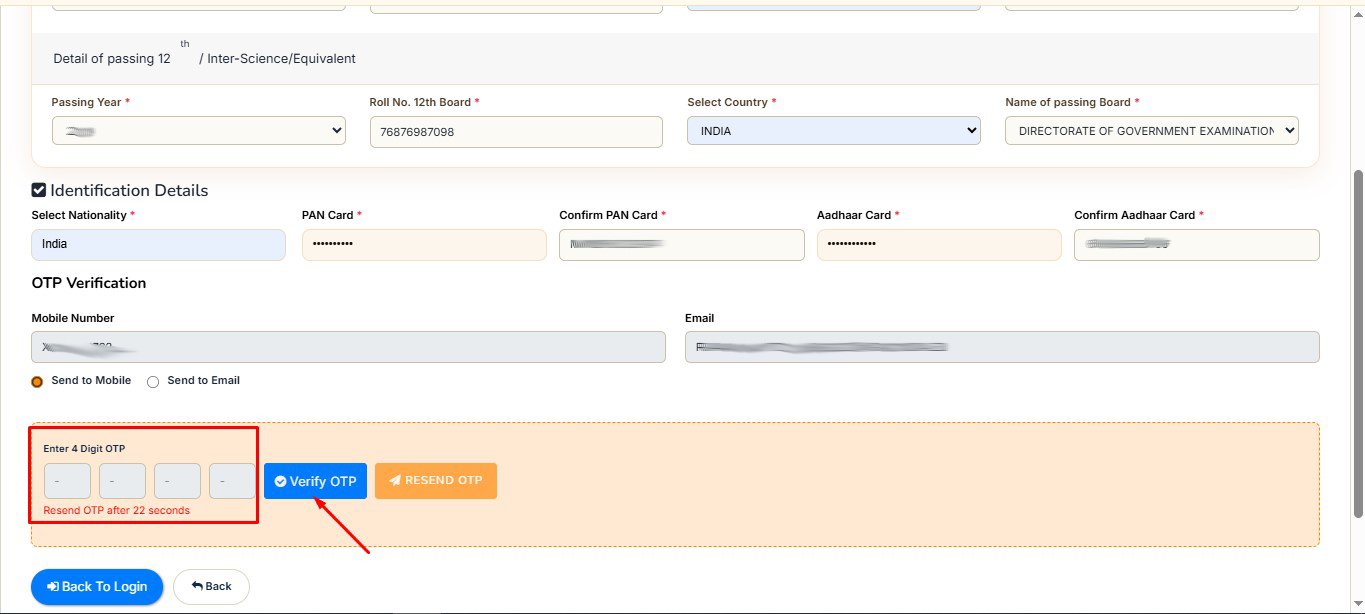
8. Enter the OTP received on your registered Mobile No. or Email Id, and click the “Verify OTP” button.
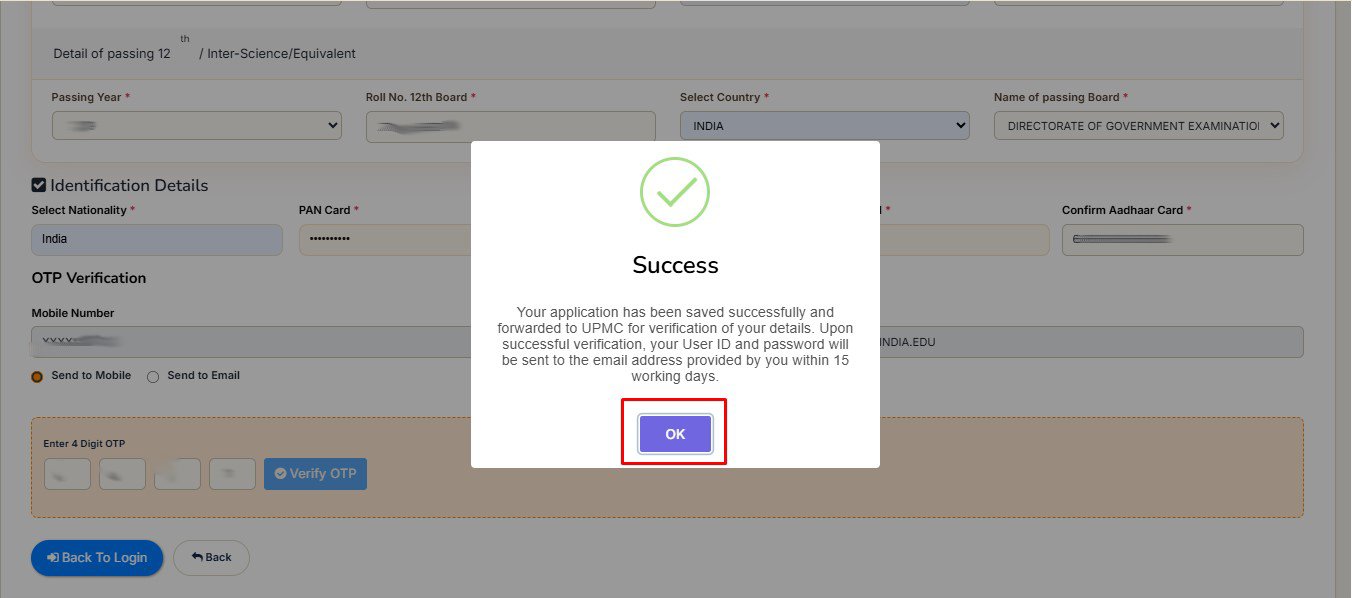
9. Your Request is Send to UPMC For Verification. Upon Successful Verification Your User Id and Password Will be send to the Registered Email Address.
10. Enter the Captcha and click on “Search Details” button.(If Your Data/Record Not Available).
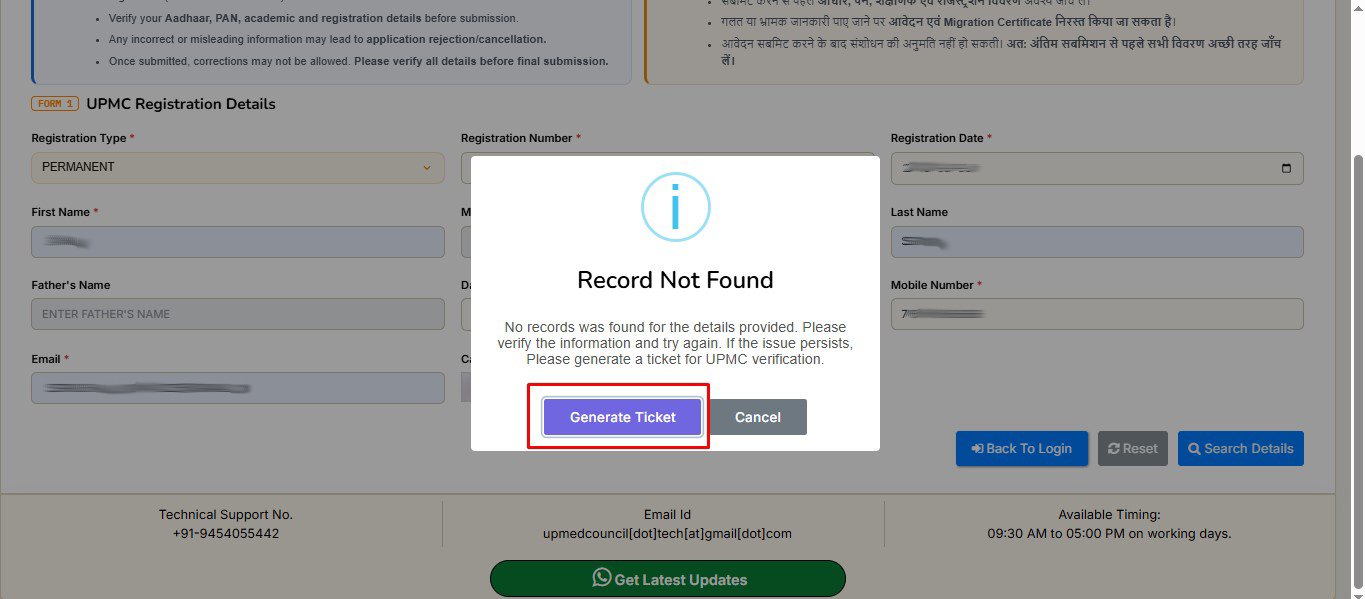
11. Click on Generate Ticket Button.
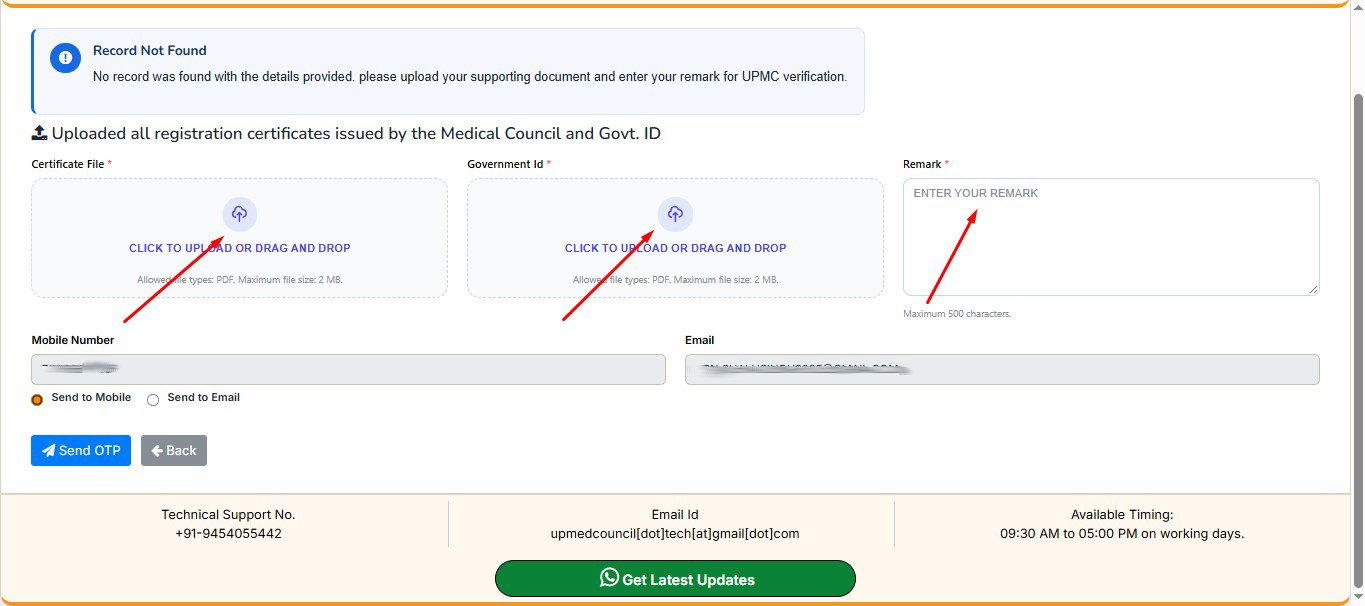
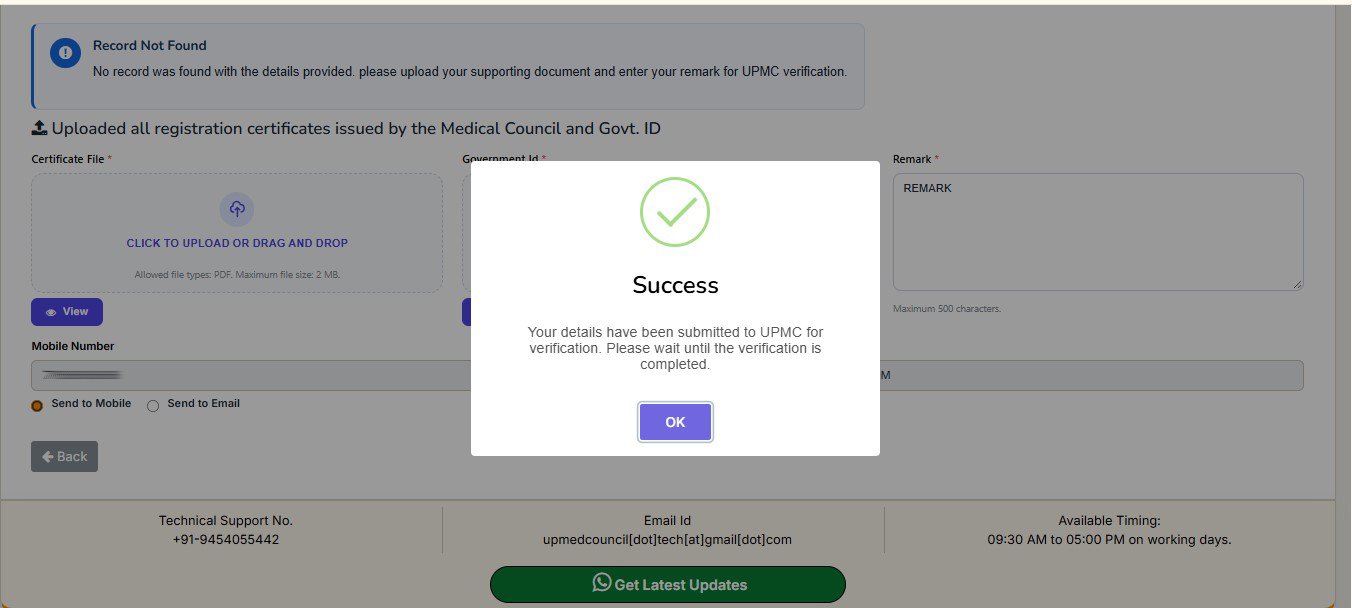
12. Upload Required Document And Fill the Accurate Remark.
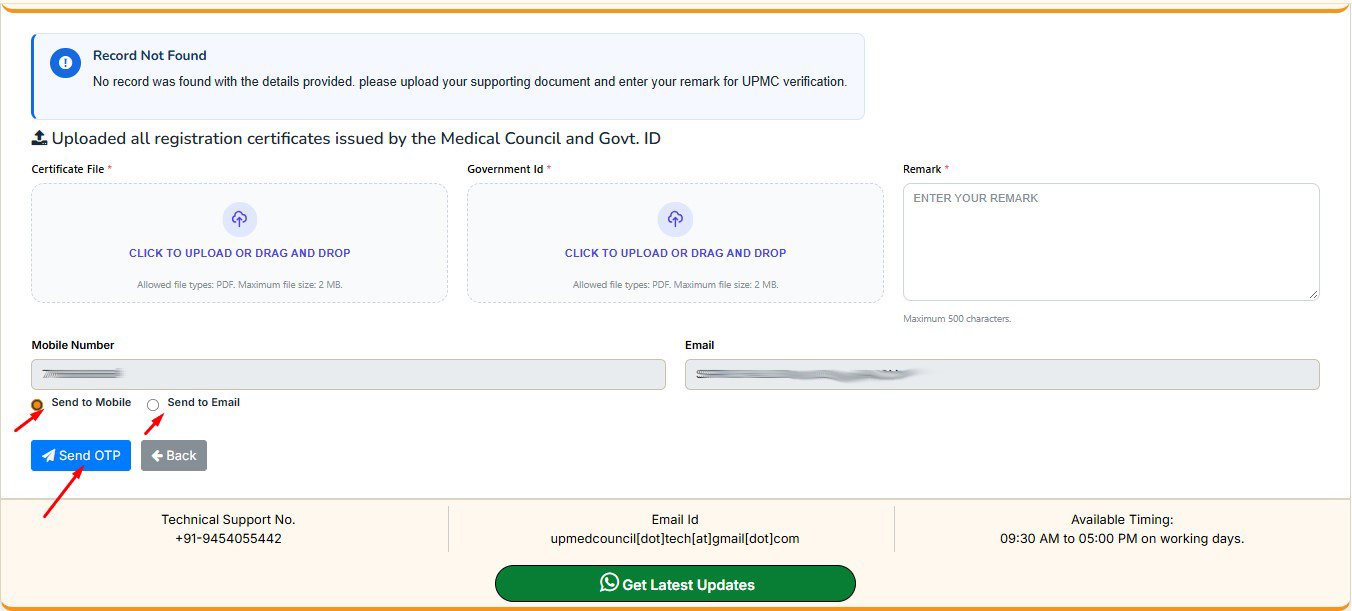
13. For OTP Verification Choose Radio Button Receive Otp Via Mail Id or Mobile No. Then Click on Send OTP Button
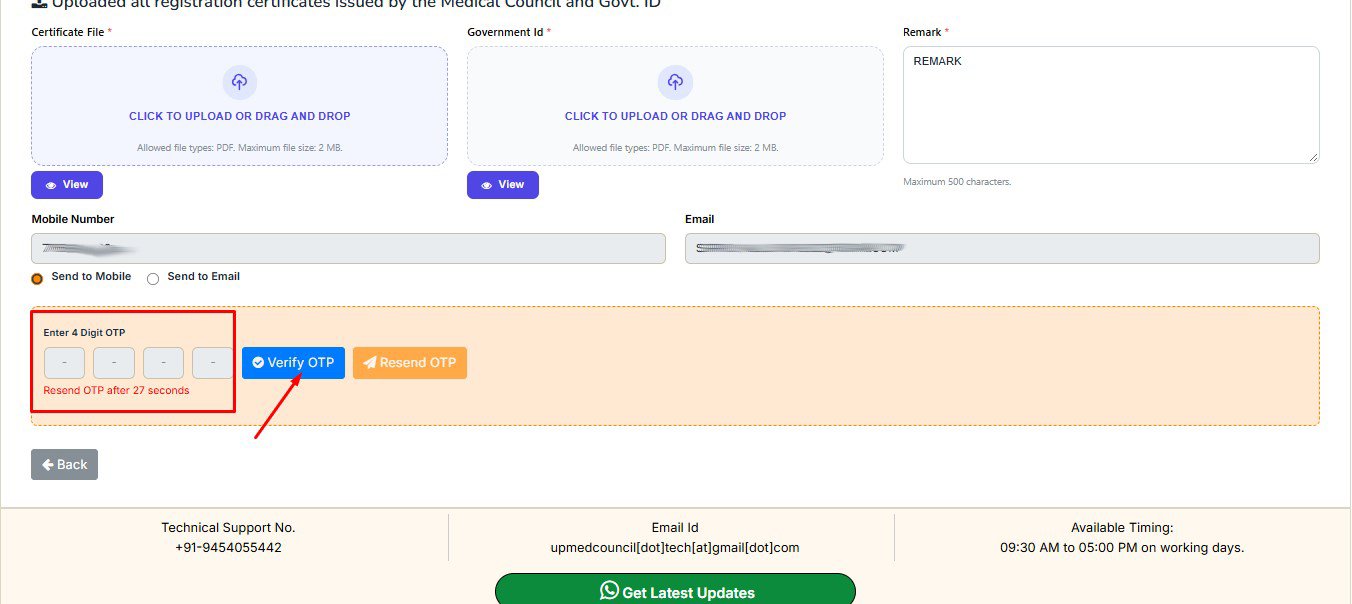
14. Enter the OTP received on your registered Mobile No. or Email Id, and click the “Verify OTP” button.