
User Manual for Provisional Registration - Other State Medical Council Registred (Indian Qualification)
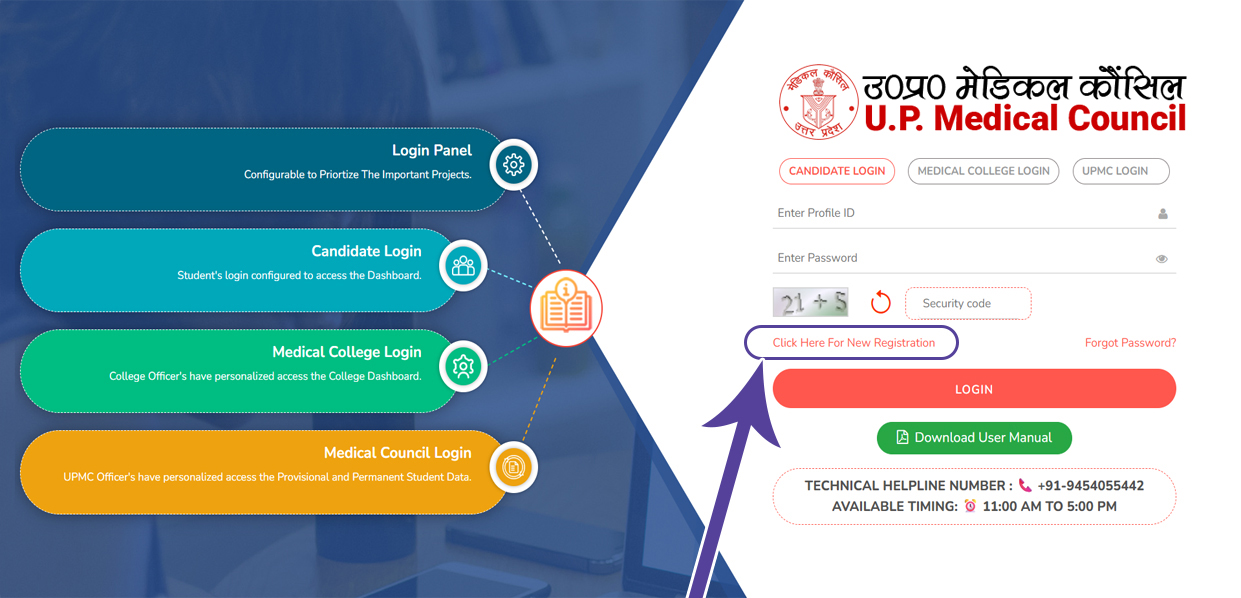
1. Click Here For New Registration
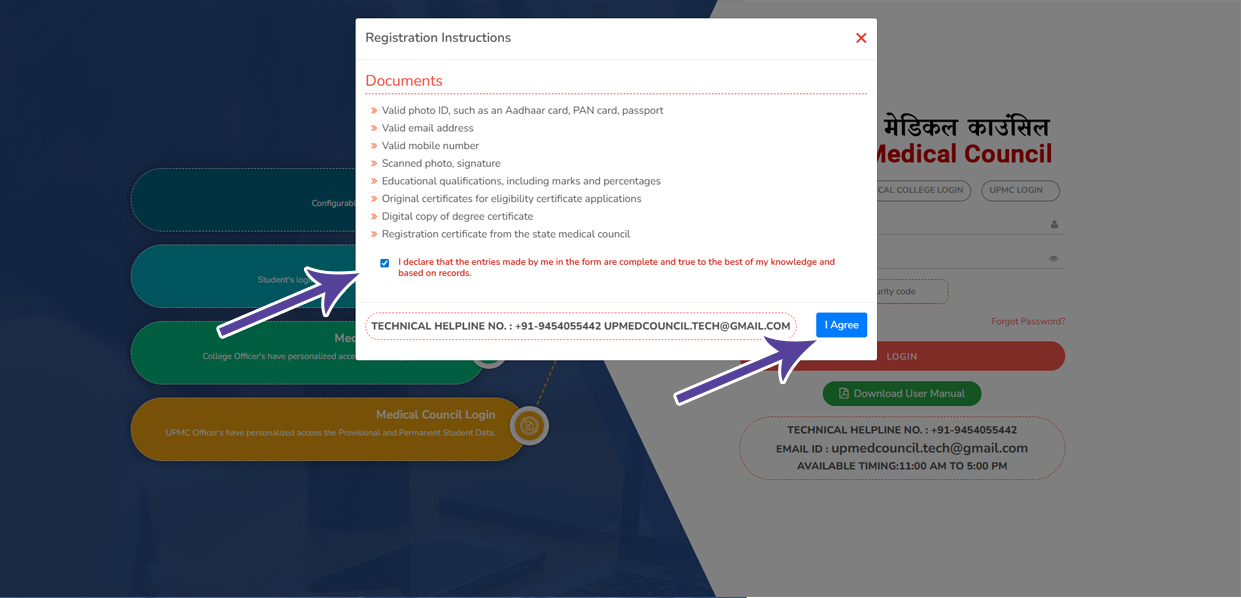
2. Read the instructions carefully, tick the declaration checkbox, and click I Agree to proceed next step
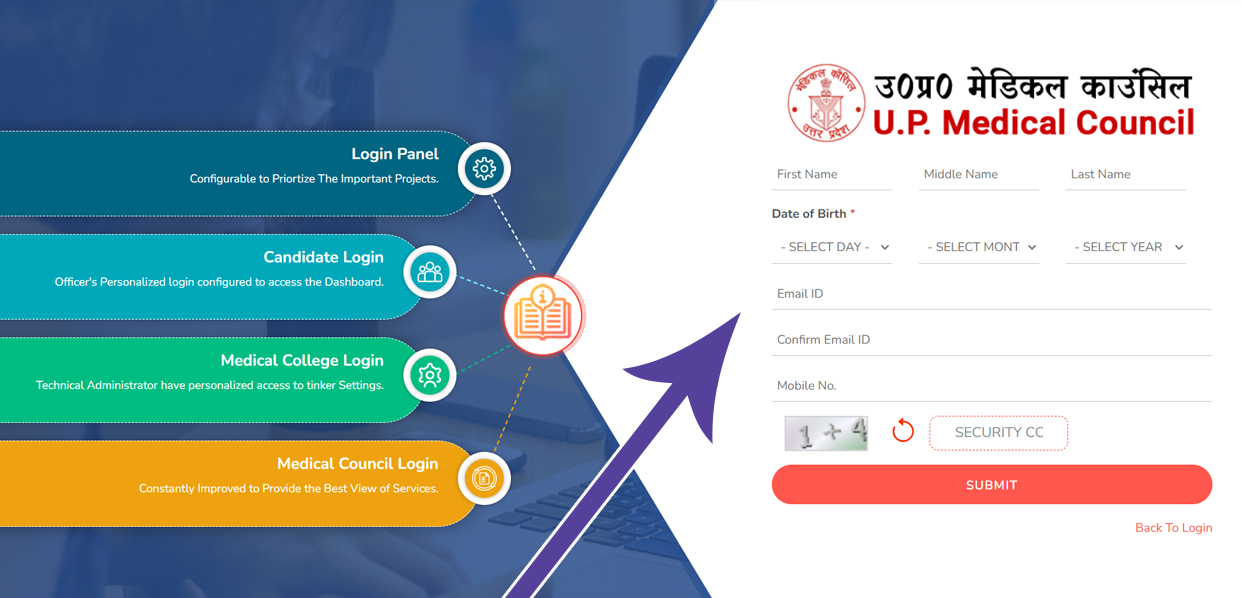
3. Registration - Please fill in all the required details to proceed with the registration.
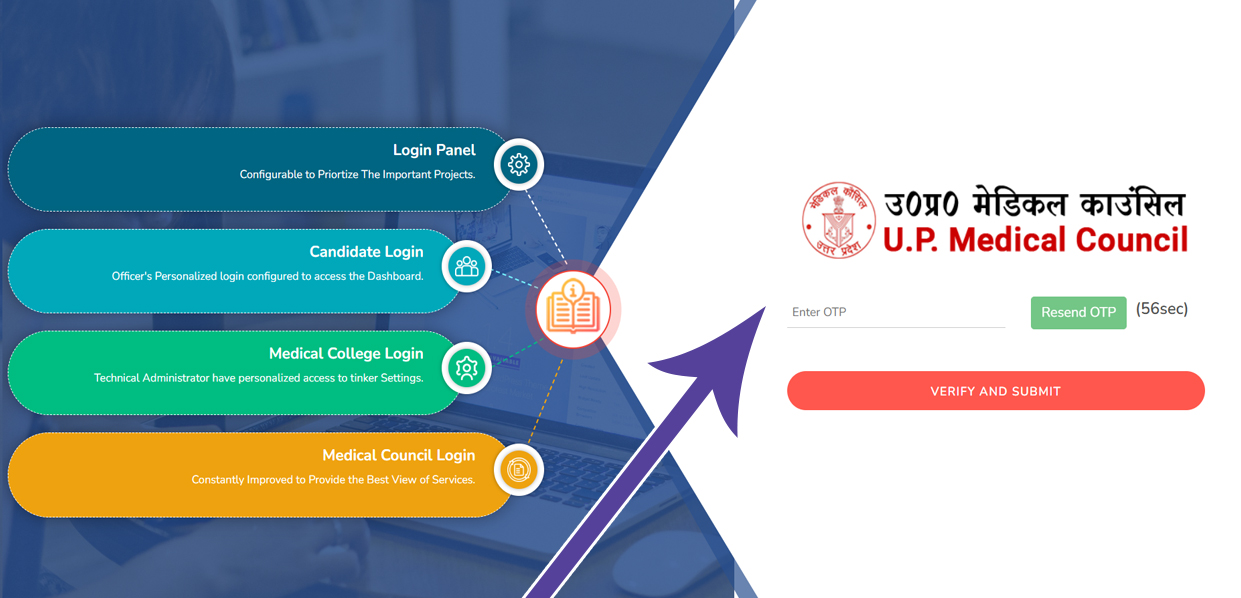
4. OTP Verification � Enter the OTP sent to your mobile. After verification, your login details will be sent to the same number.
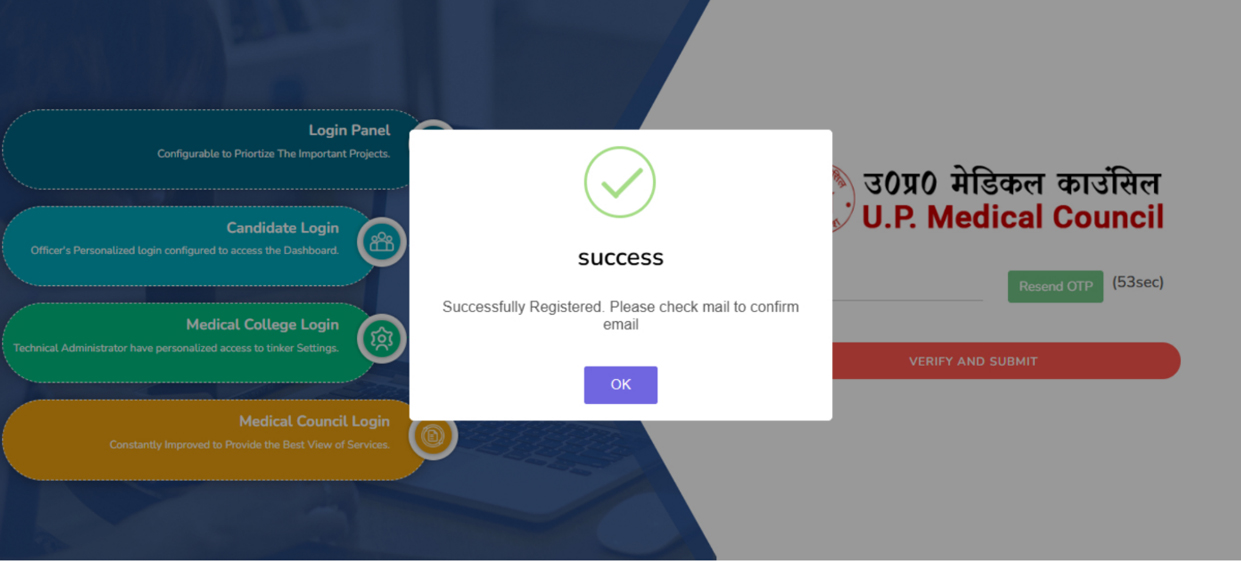
5. After OTP verification You Get One Popup Messgae for Email Confirmation
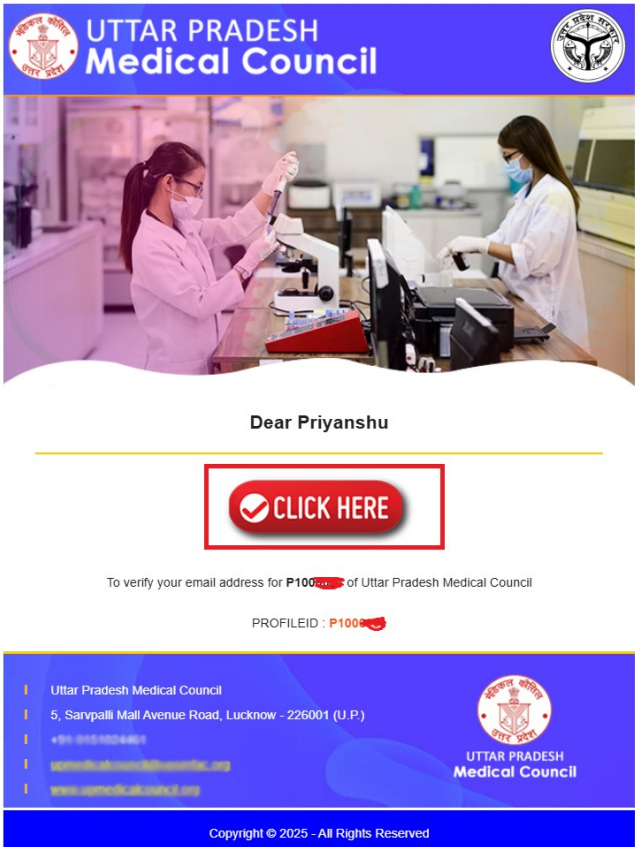
6. Email Confirmation - After OTP verification, you can proceed to verify your email address by clicking the "Verify Email" button below.
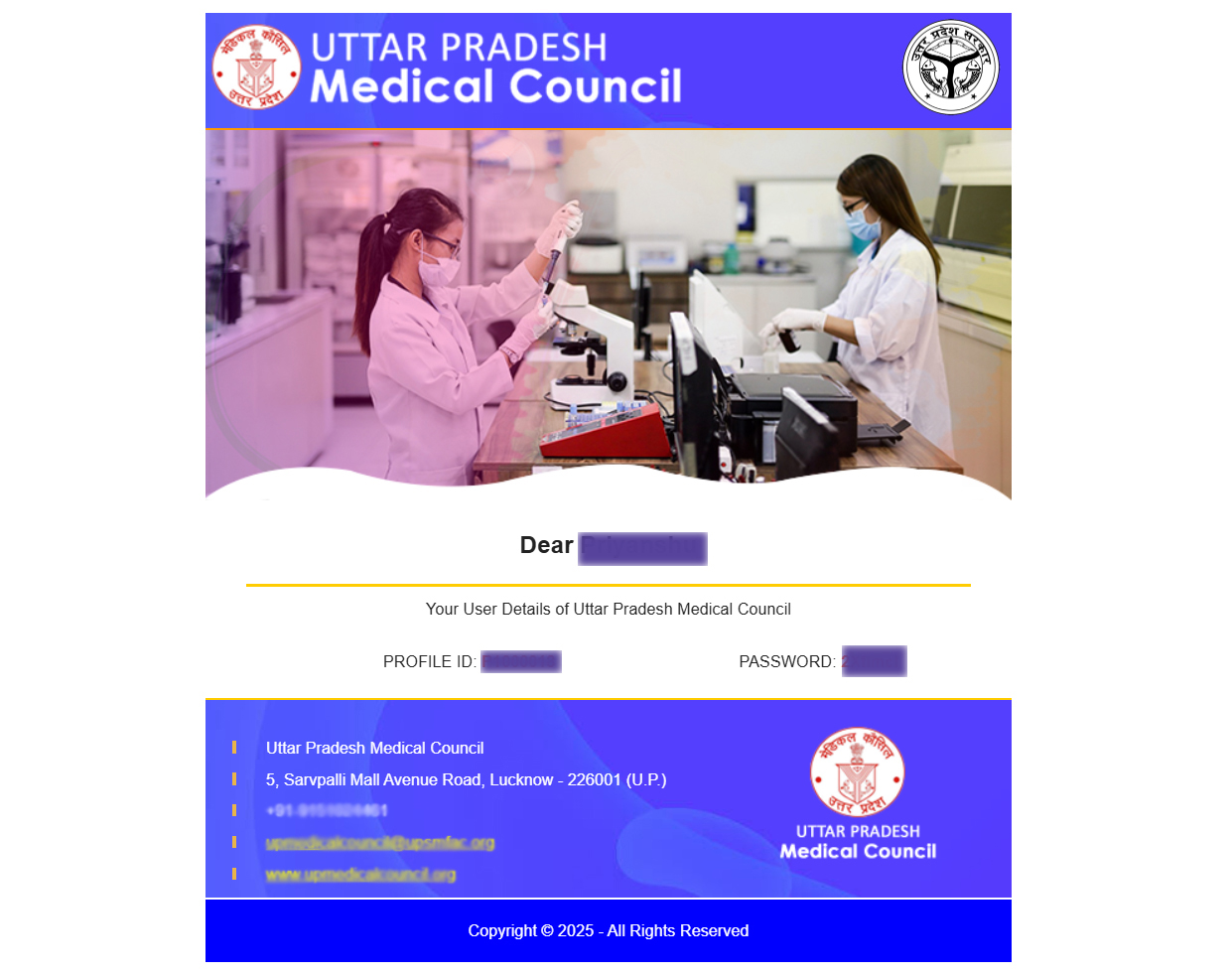
7. After email verification, your login details will also be sent to your email address.
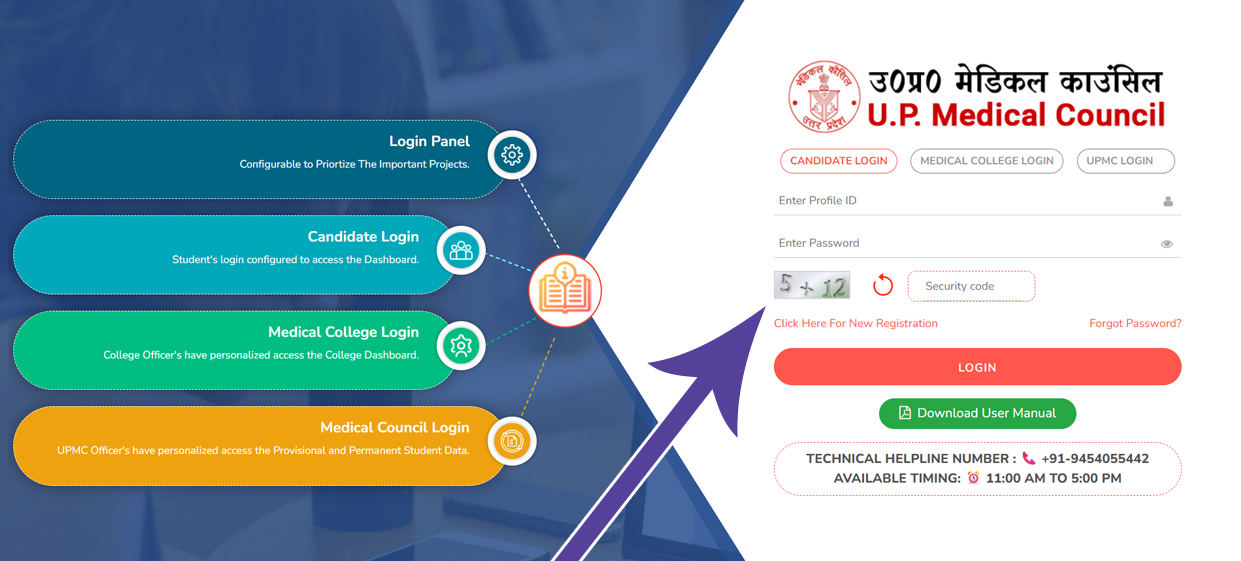
8. Fill in the login details you received in your email.
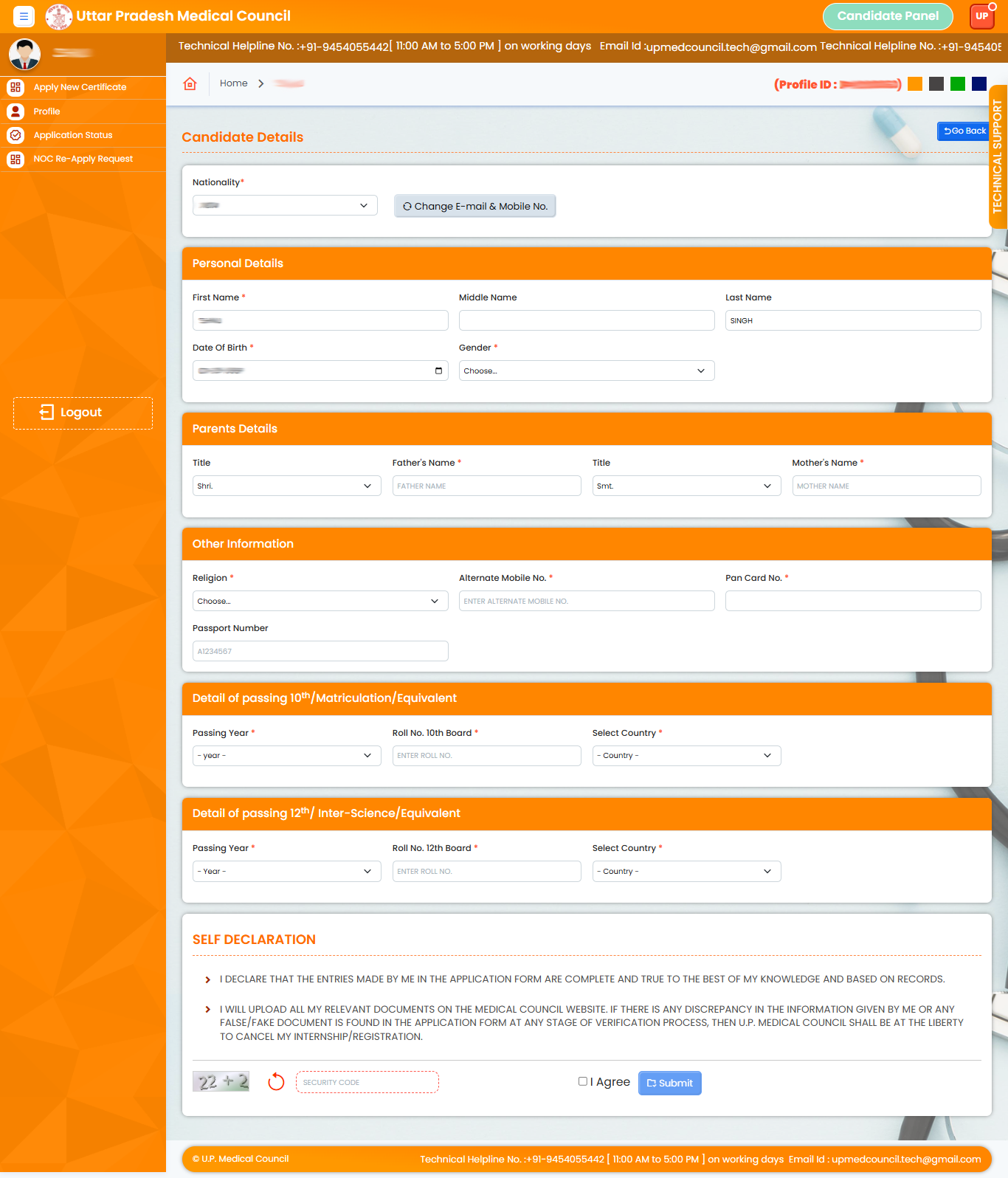
9. Enter all required student details, complete the captcha, tick the Self Declaration checkbox, and click Submit.
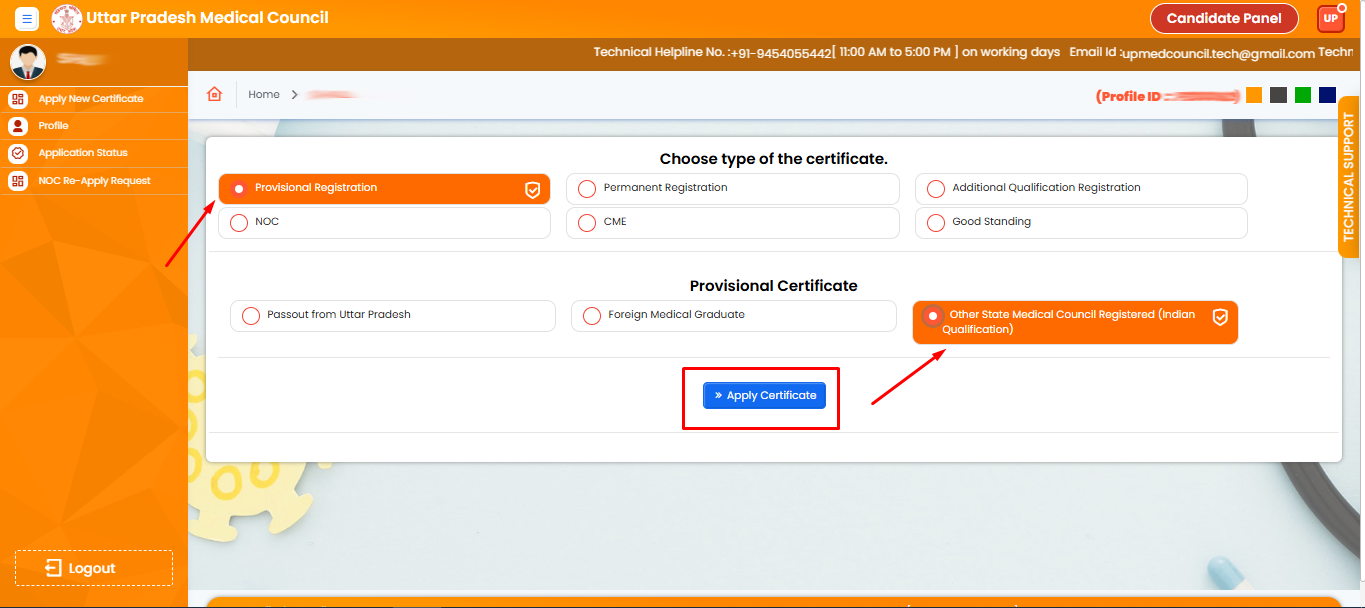
10. Select the Provisional Registration option, then choose Other State Medical Council Registred (Indian Qualification), and click Apply Certificate.
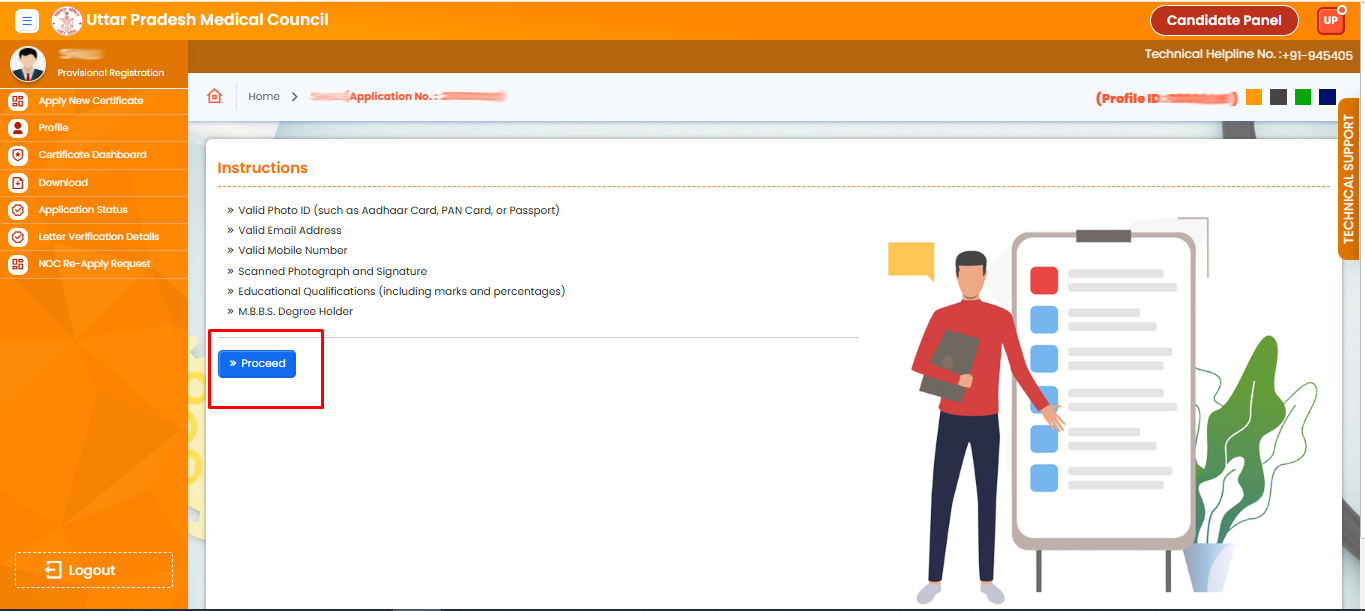
11. Read the instructions carefully and click the Proceed button.
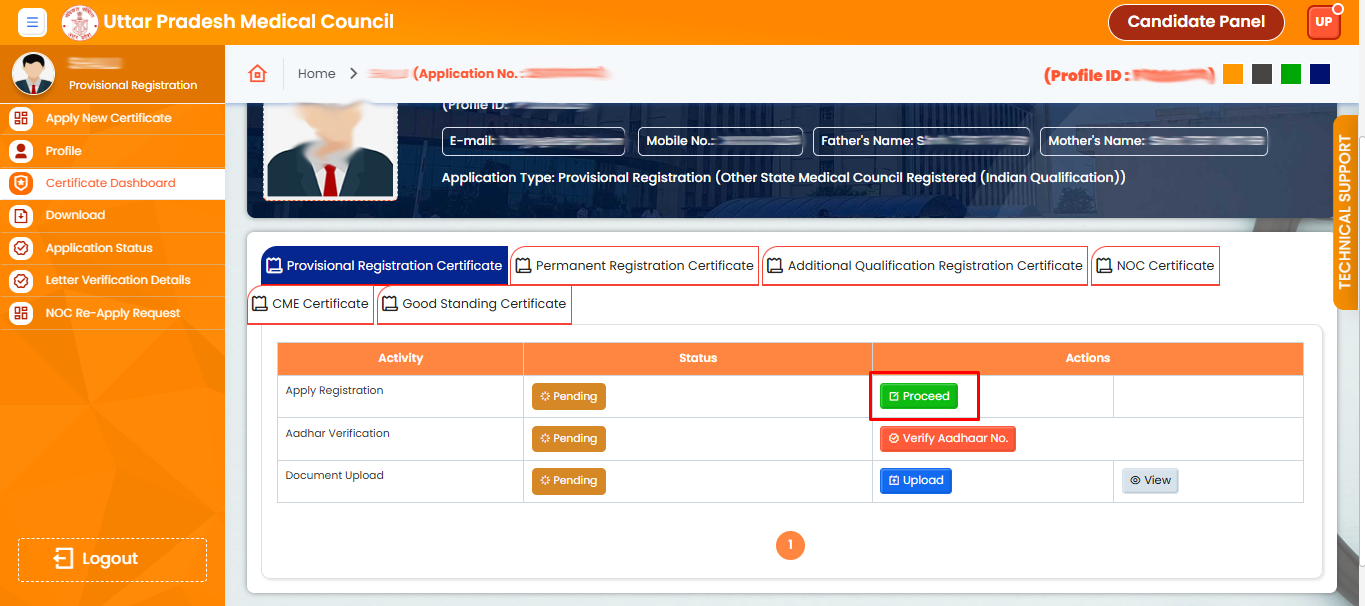
12. Click on Proceed button.
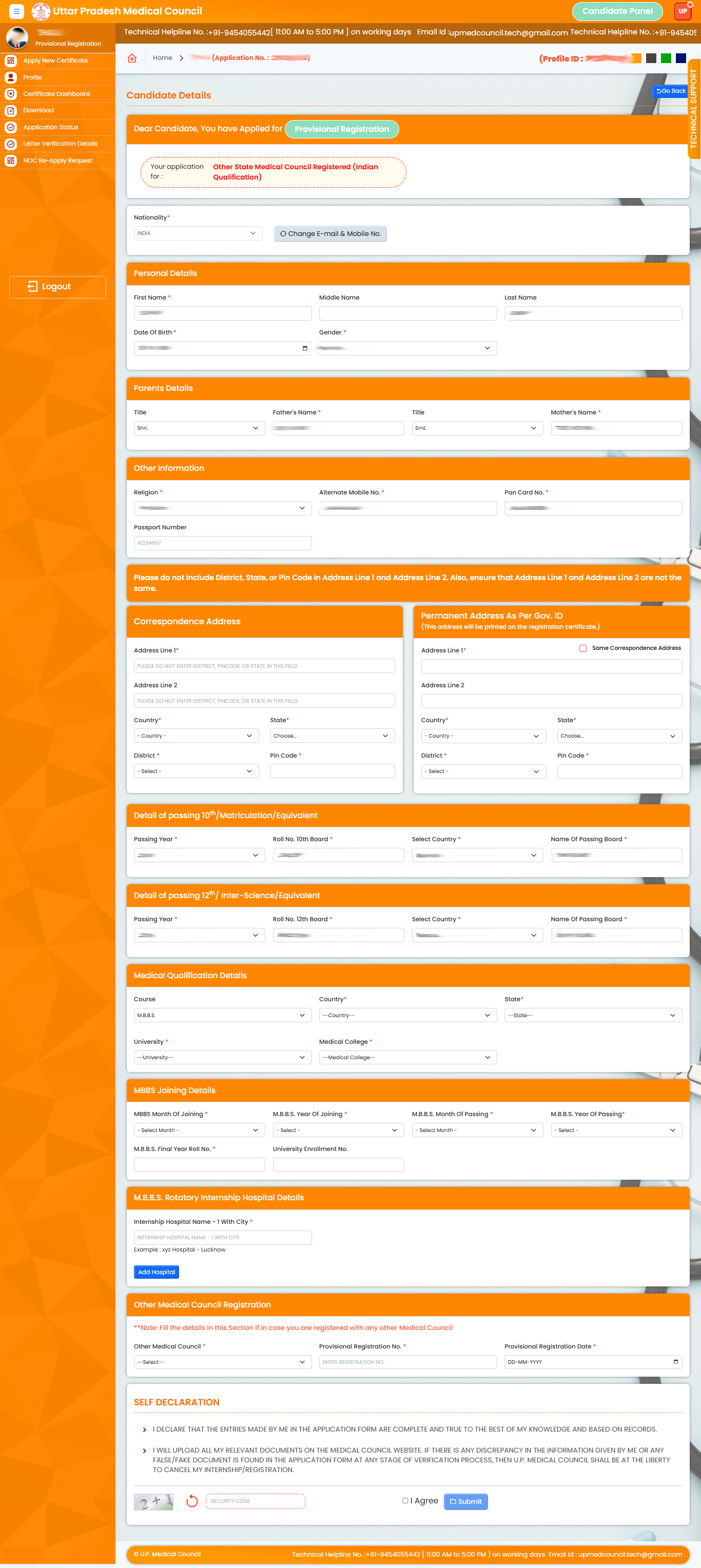
13. Now fill the form with your address and other details, Fill the Captcha and check on I Agree, then Click the submit Button.
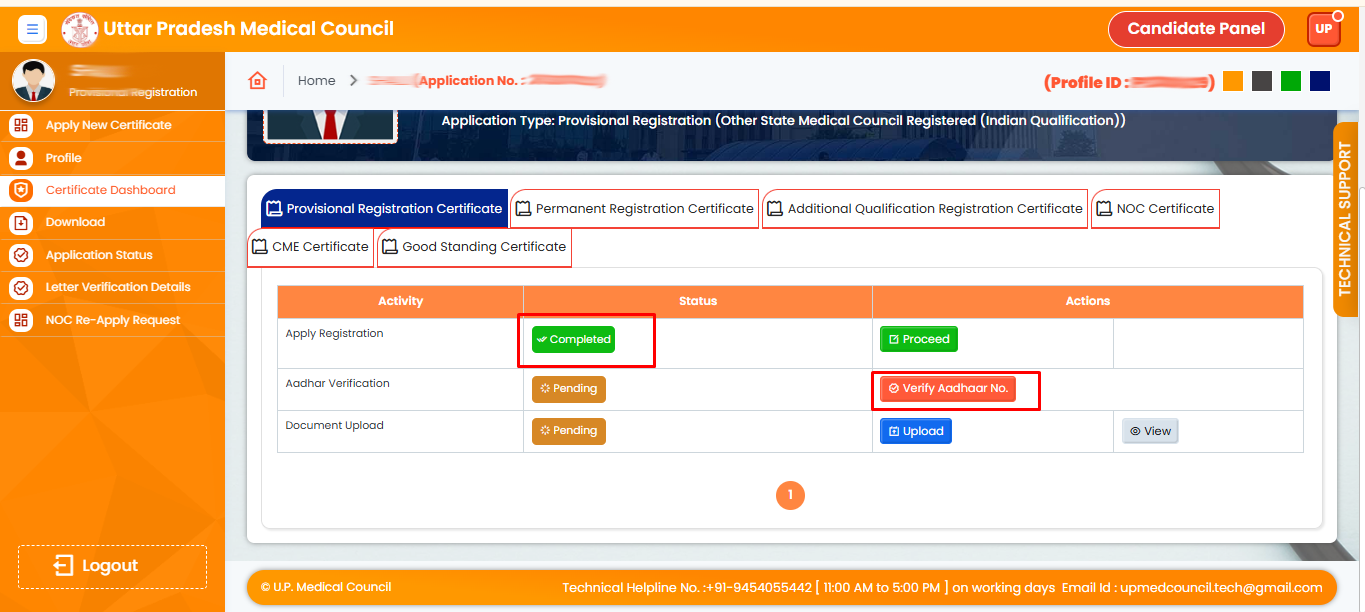
14. Please Click Aadhaar Verfify No Button
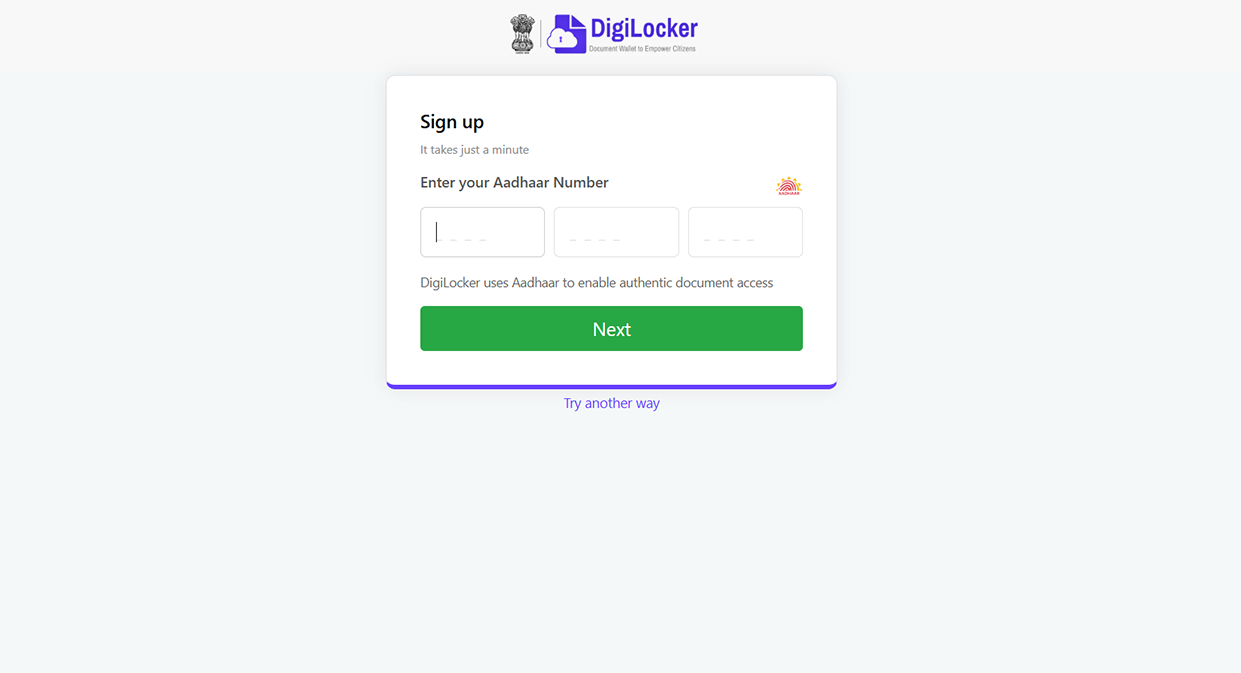
15. Please enter your aadhaar card number
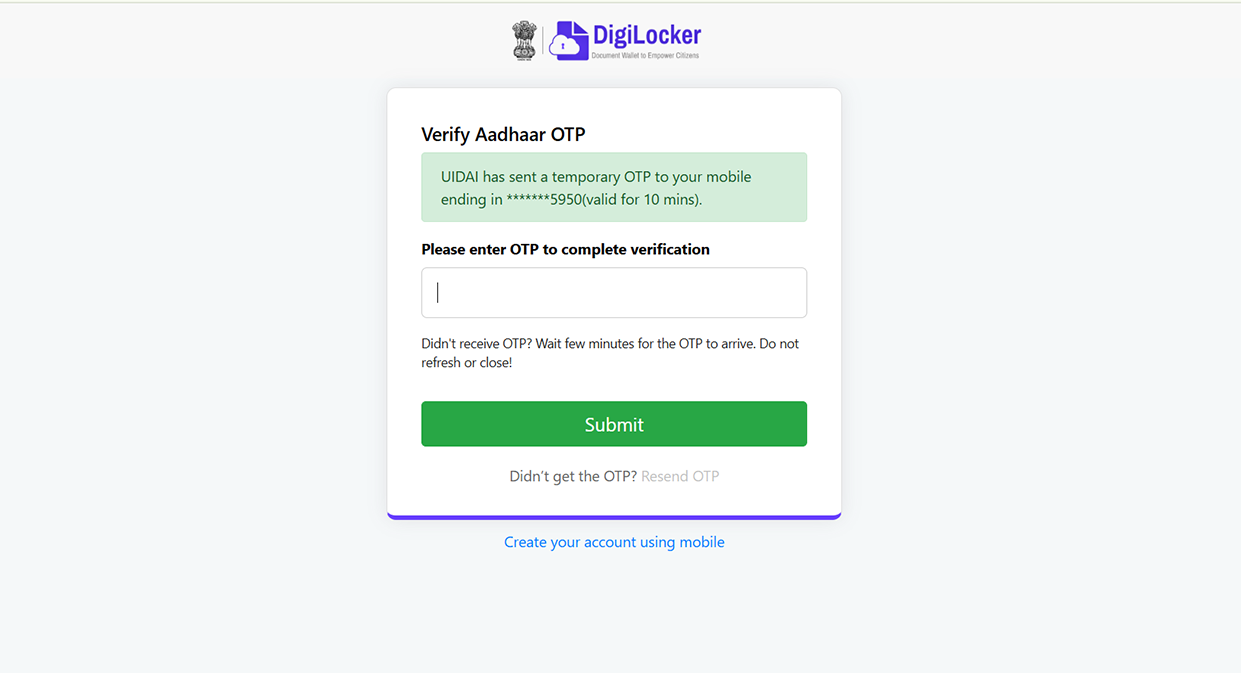
16. Check your Aadhaar-linked mobile number for the OTP.
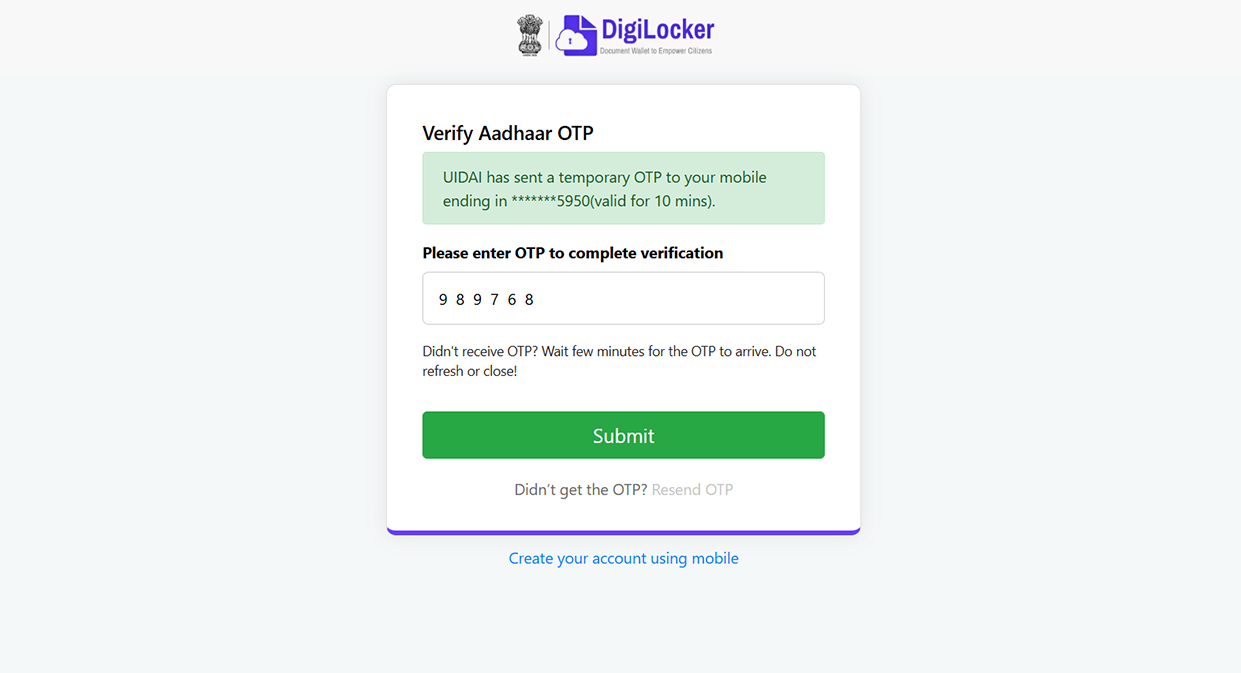
17. Please enter the OTP sent to your Aadhaar-linked mobile number to verify your identity.
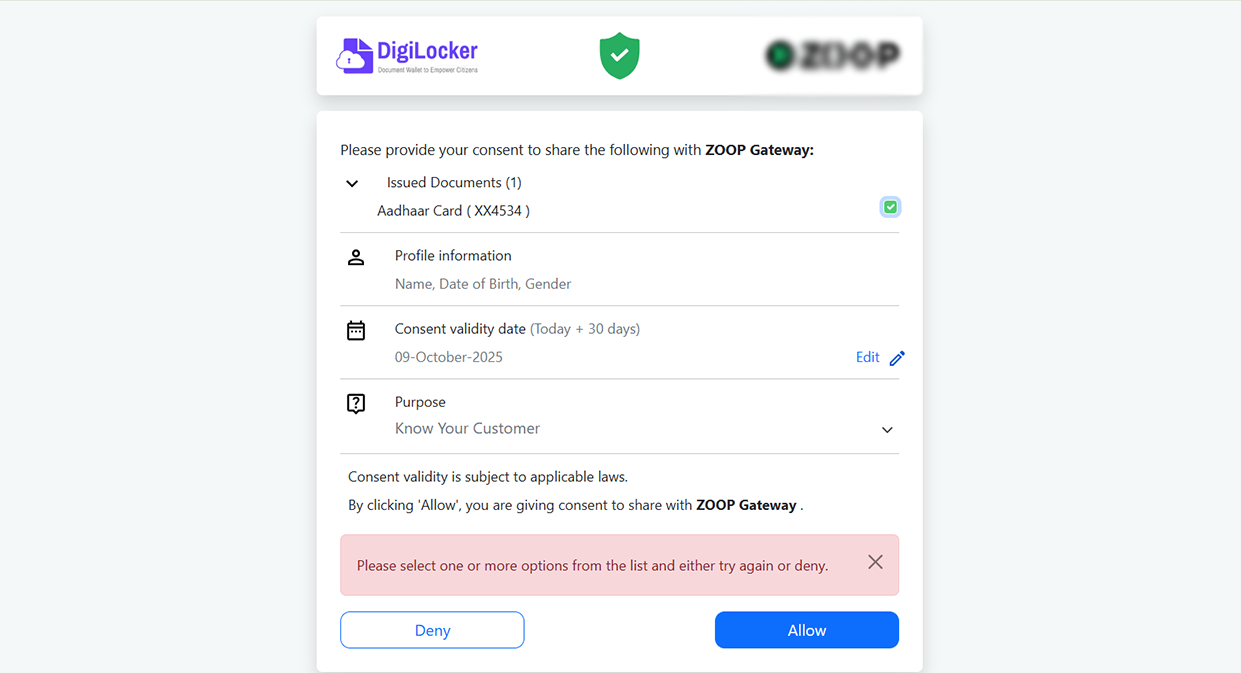
18. Please tick the checkbox and click on the Allow button to continue.
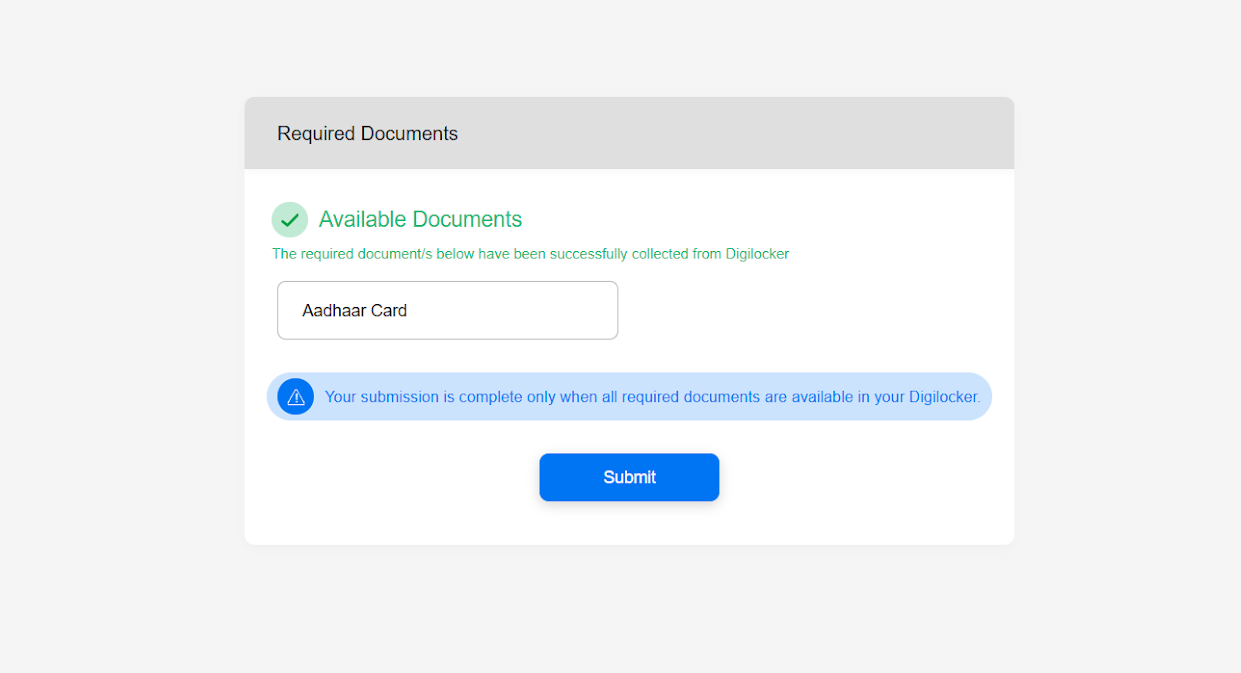
19. And click Submit.
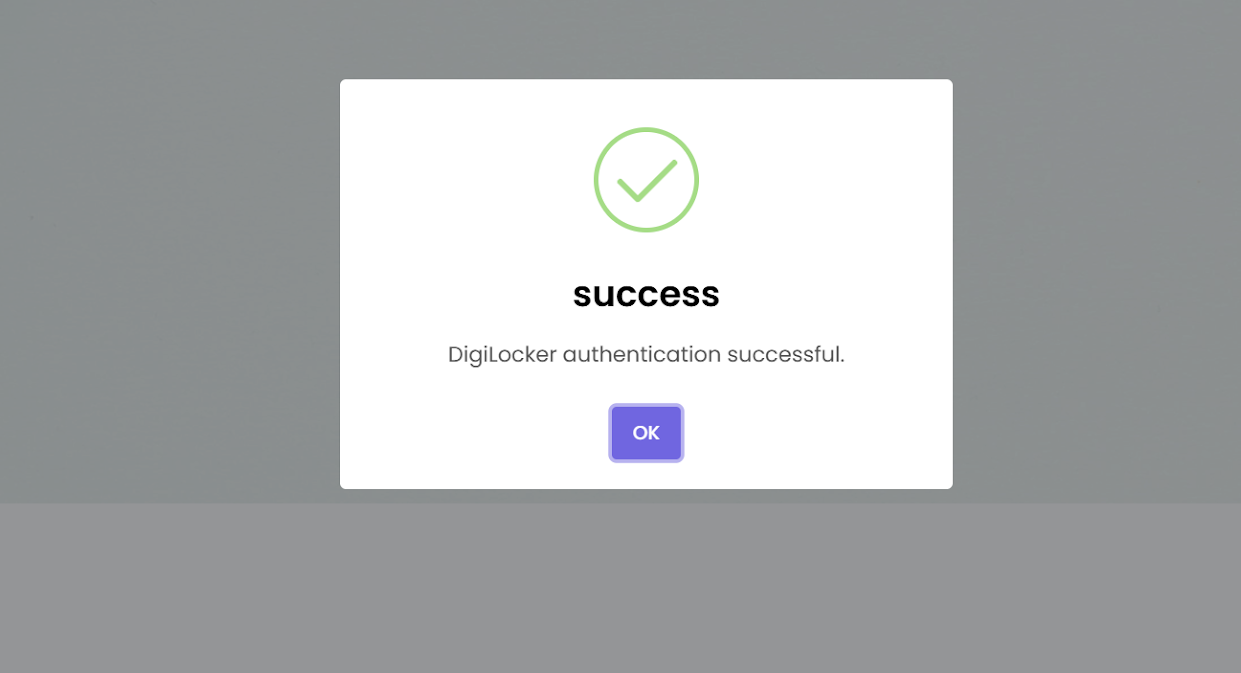
20. Your Aadhaar has been successfully verified through DigiLocker.
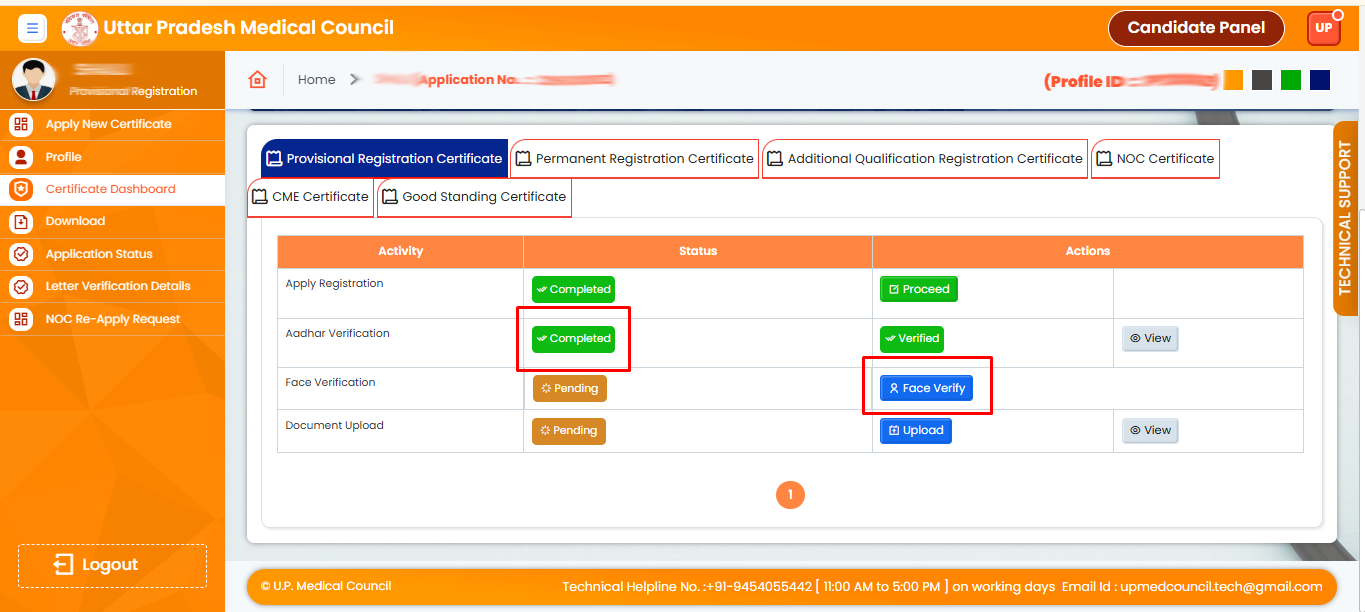
21. After Aadhaar Verified Click on the Face Verify
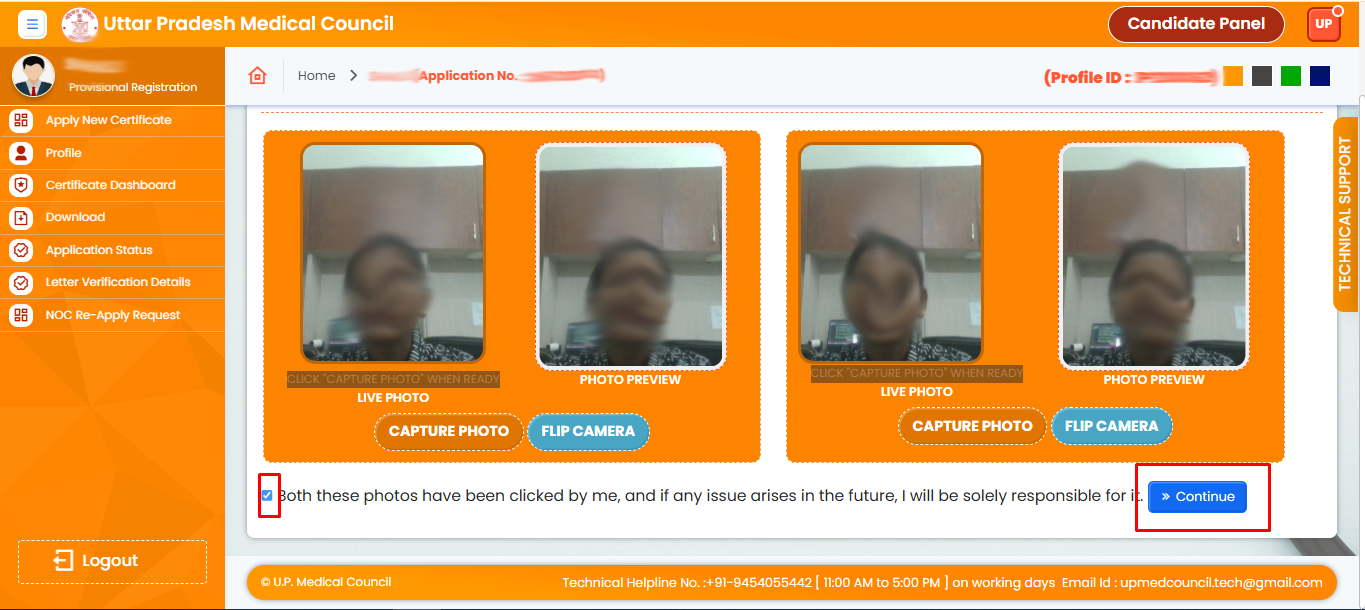
22. Face Recognition Reclick Submit
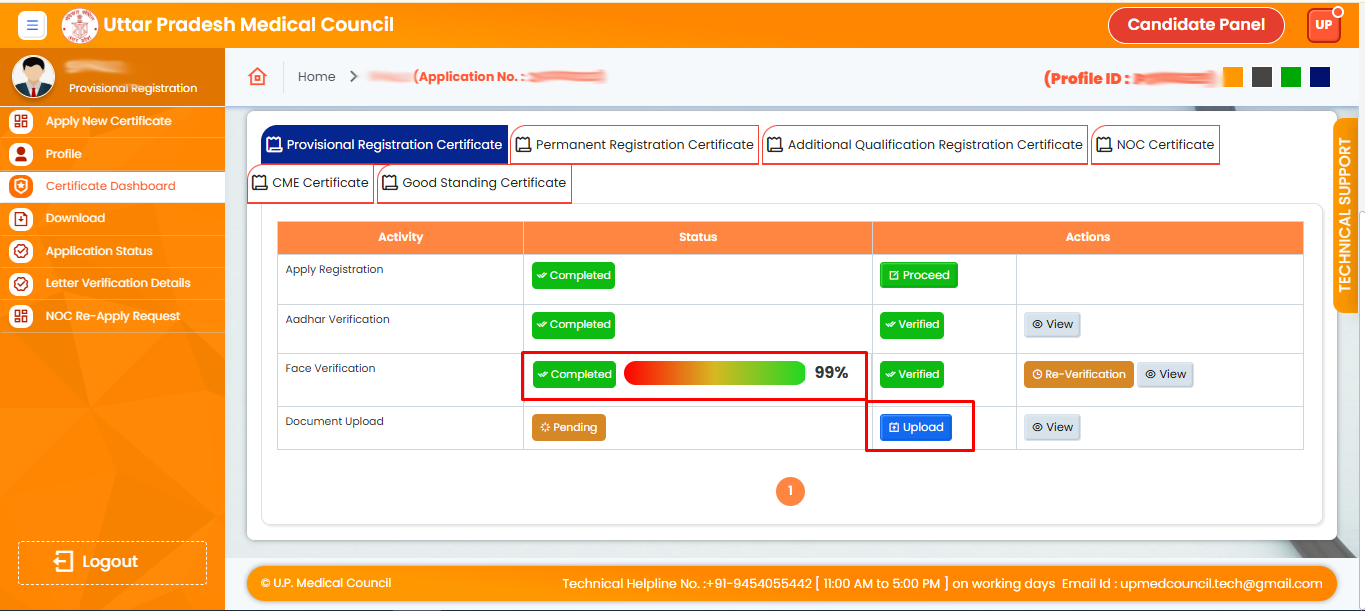
23. Document Upload
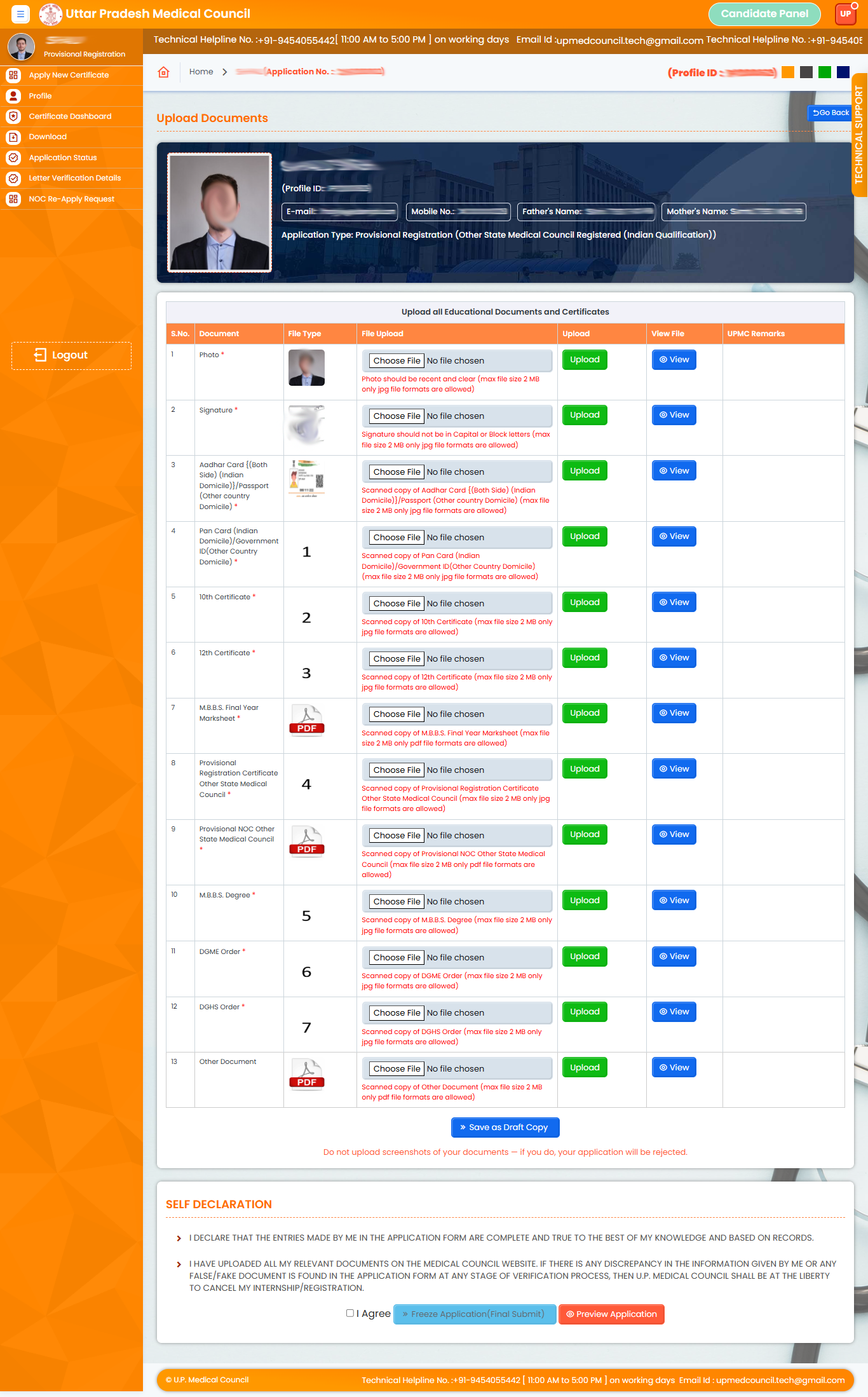
24. Upload All Documents Here
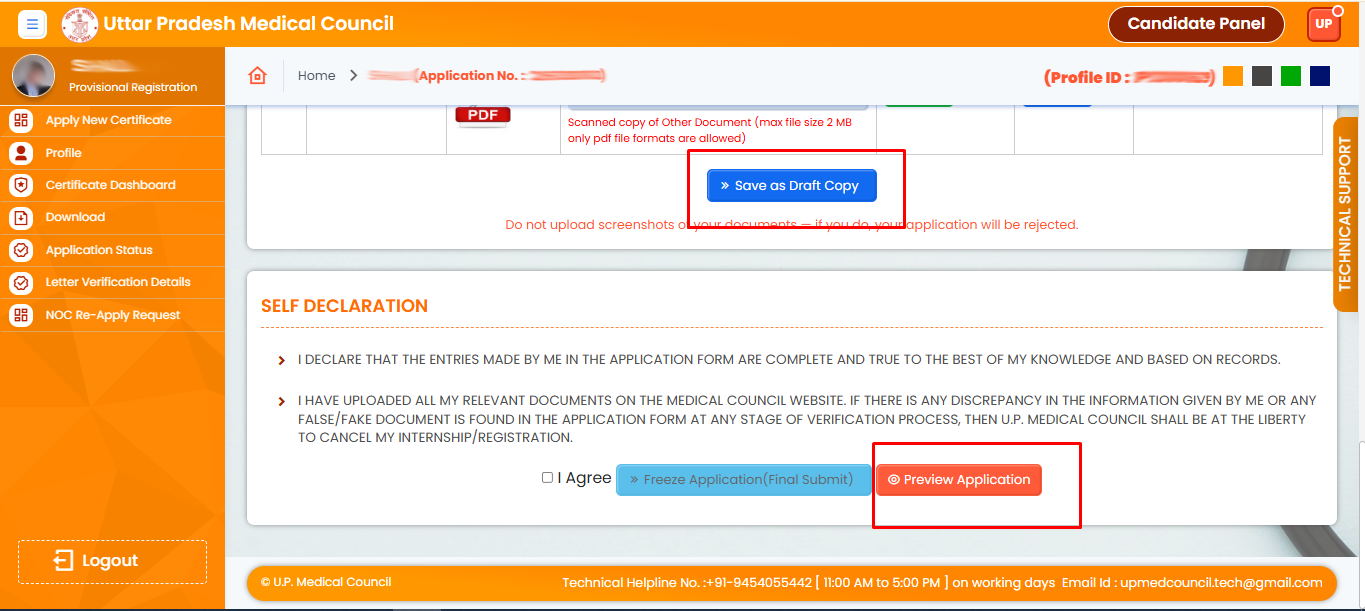
25. Click Save and Draft and Checked I agree and Freeze button(Final Submit)
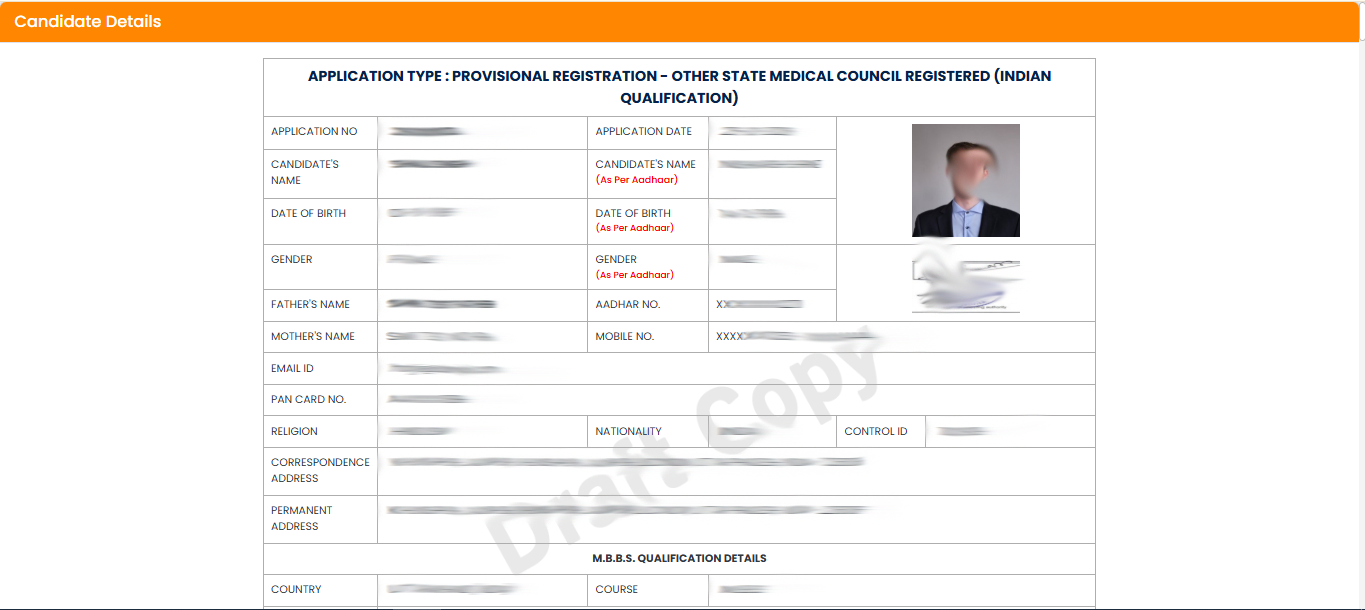
26. Now You can See Your Form and Document Preview
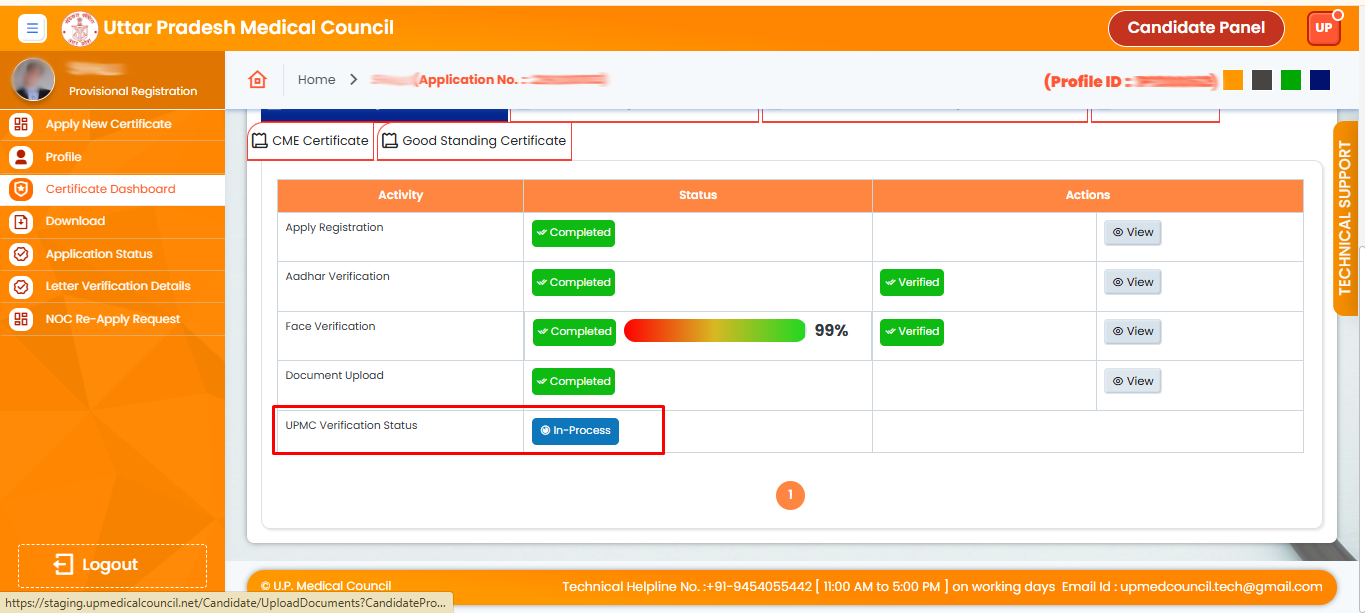
27. After uploading all documents, UPMC will review them. Once approved, the 'Completed will appear here.
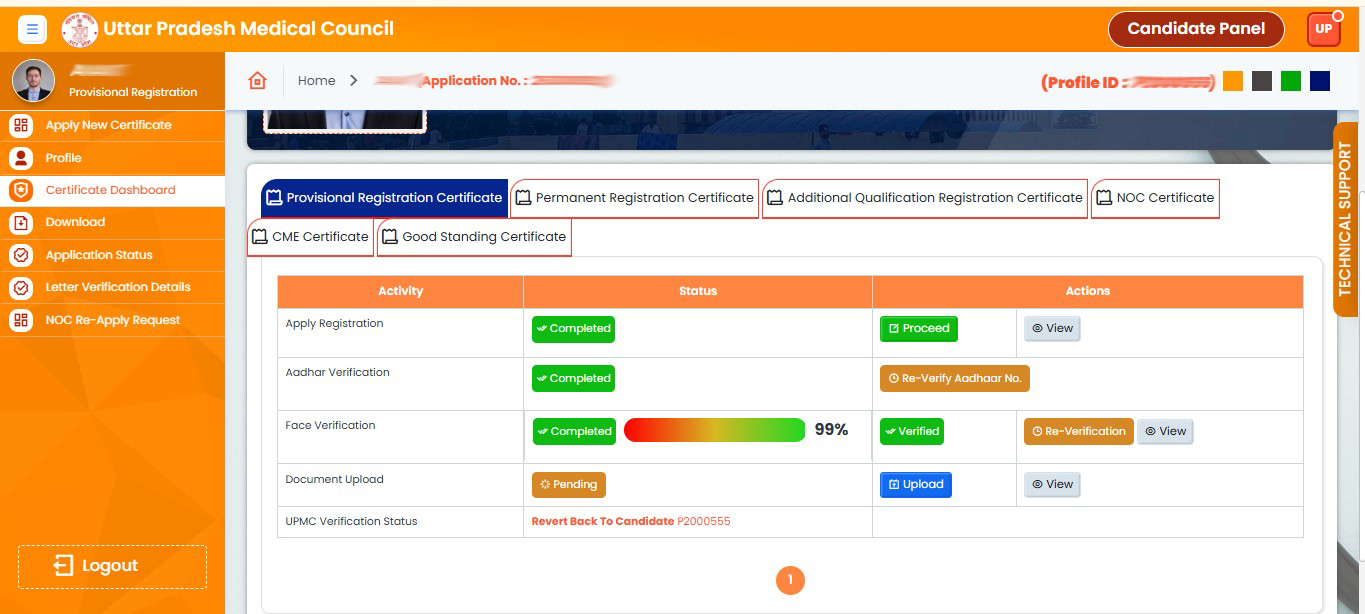
28. Your application has been returned by the UPMC. Please re-upload your documents.
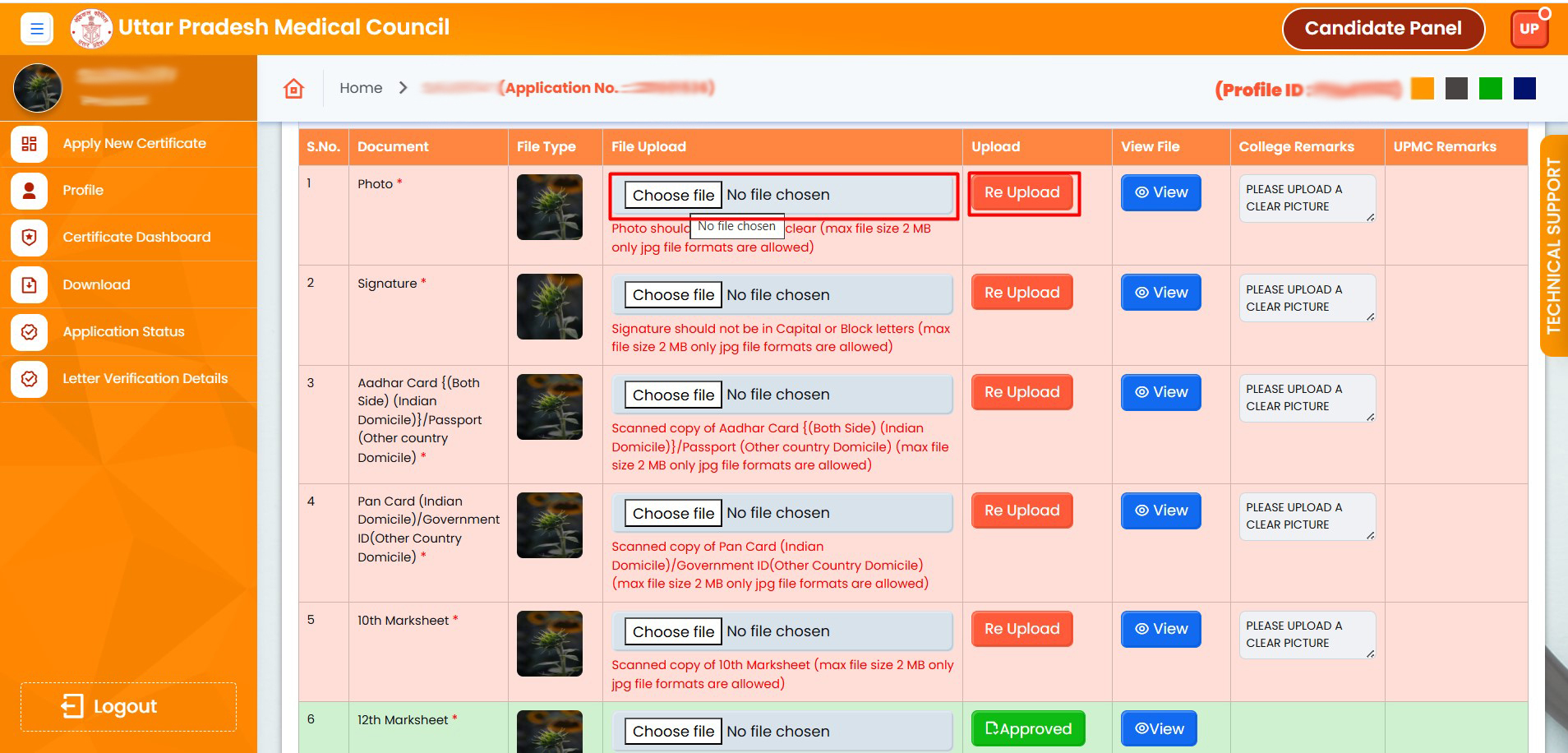
29. Choose the document, then click "Re-upload"
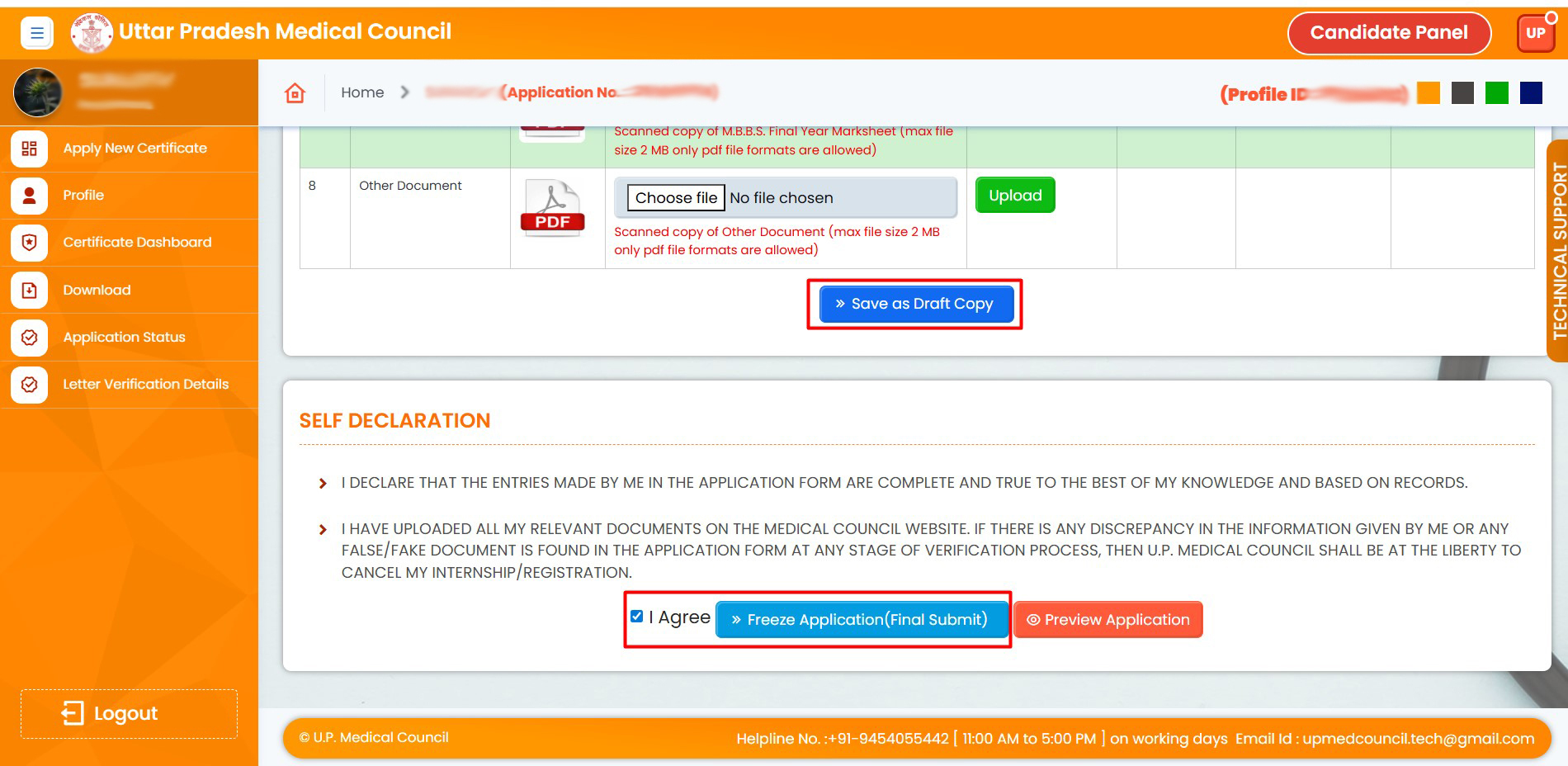
30. Upload all re-uploaded documents, click on "Save as Draft", and then agree to finalize (freeze) the application
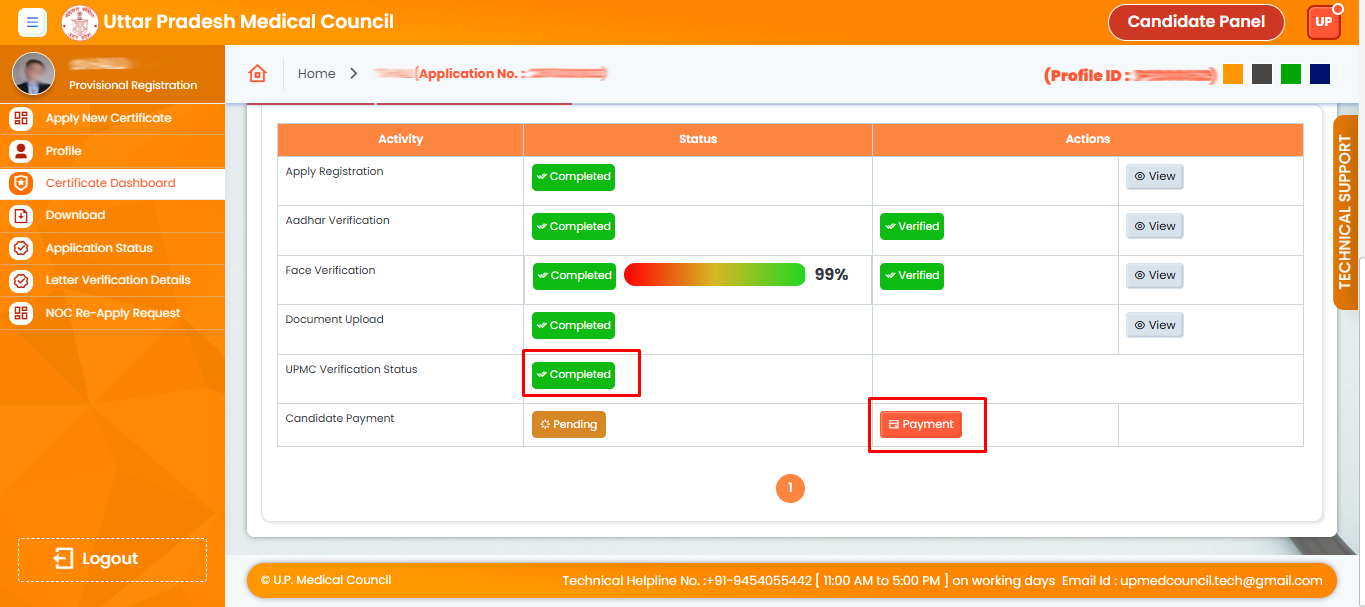
31. Now you have to Click Payment Option
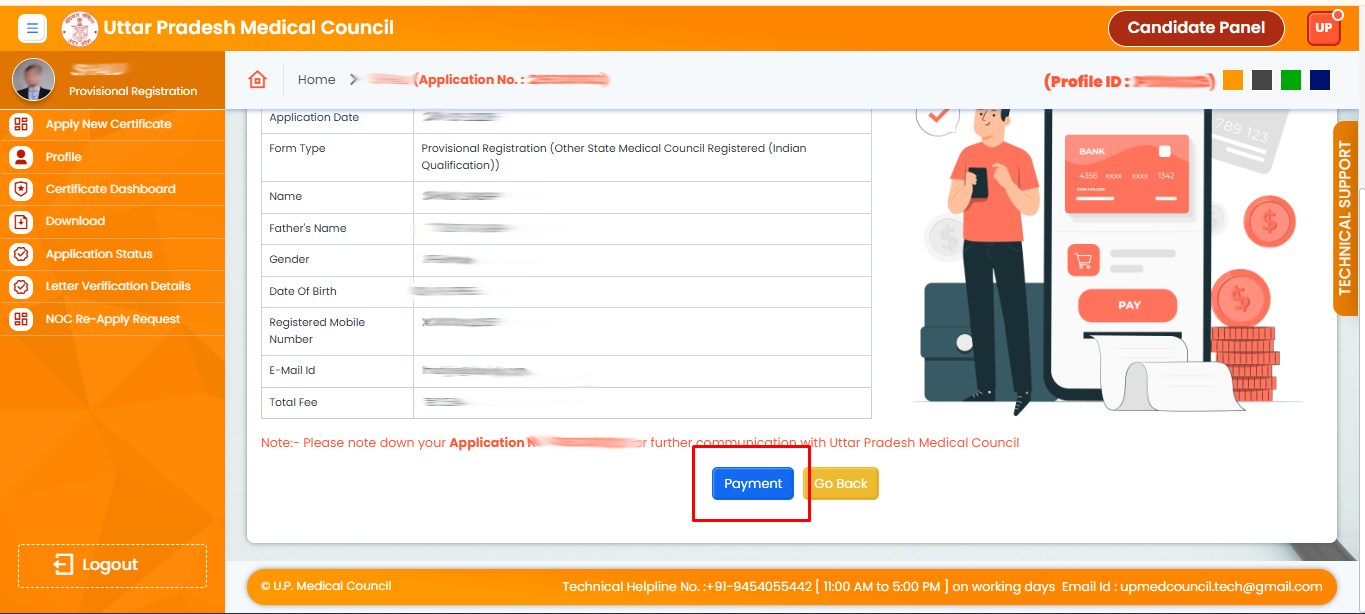
32. Please proceed with your payment now.
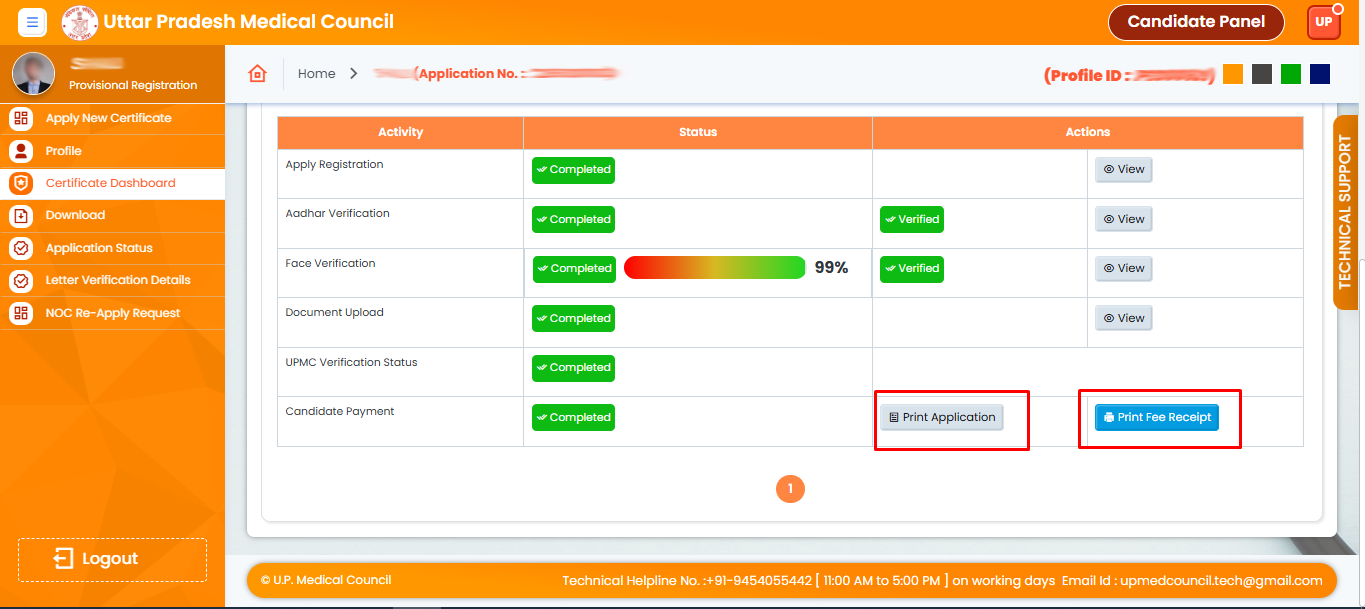
33. Your application has been successfully submitted after payment!
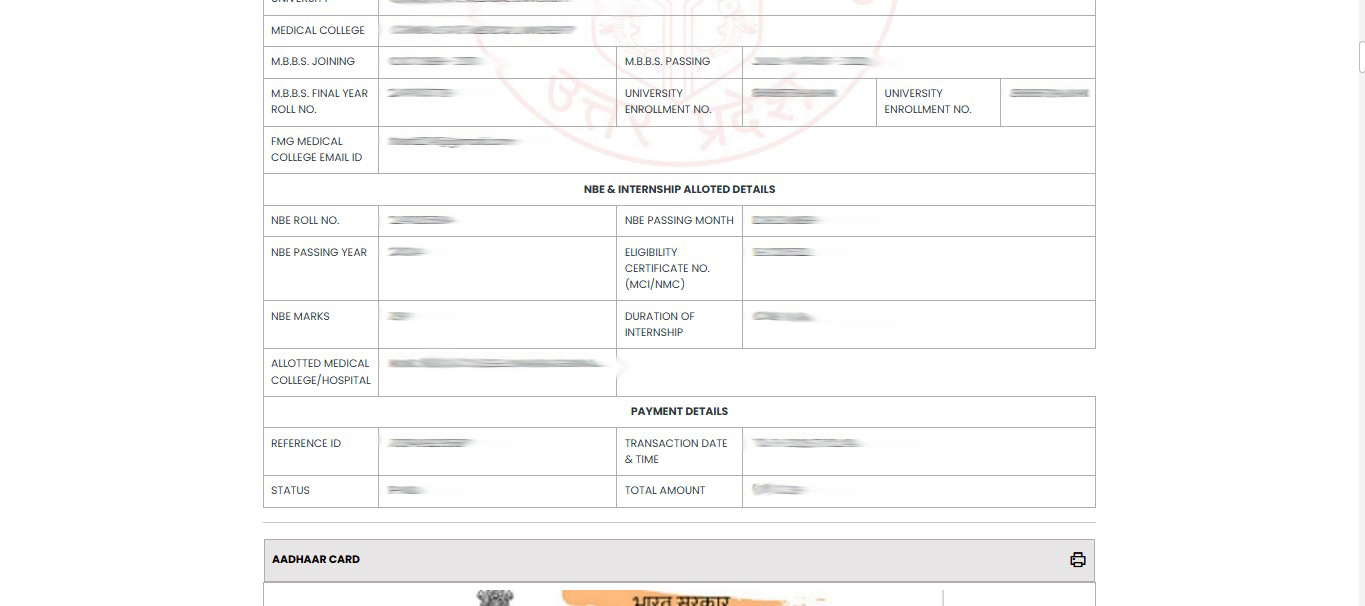
34. You can now see that your payment is done and view your receipt as well.
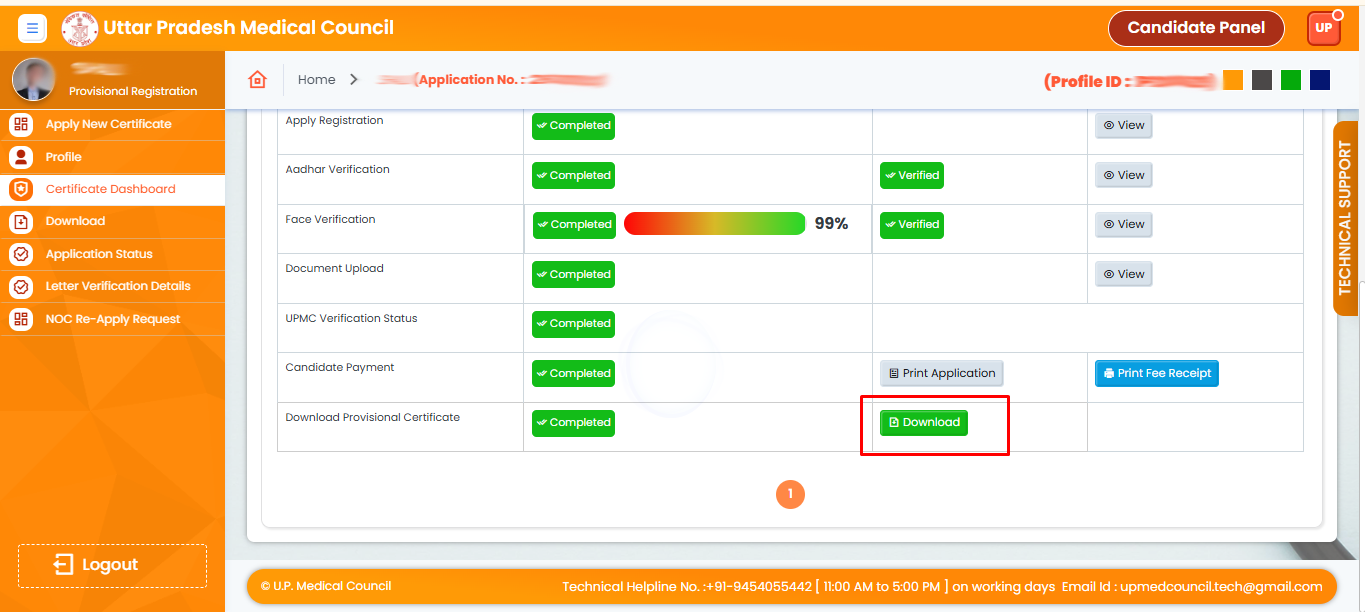
35. Your Provisional Certificate has been sent by UPMC. You can now download it.
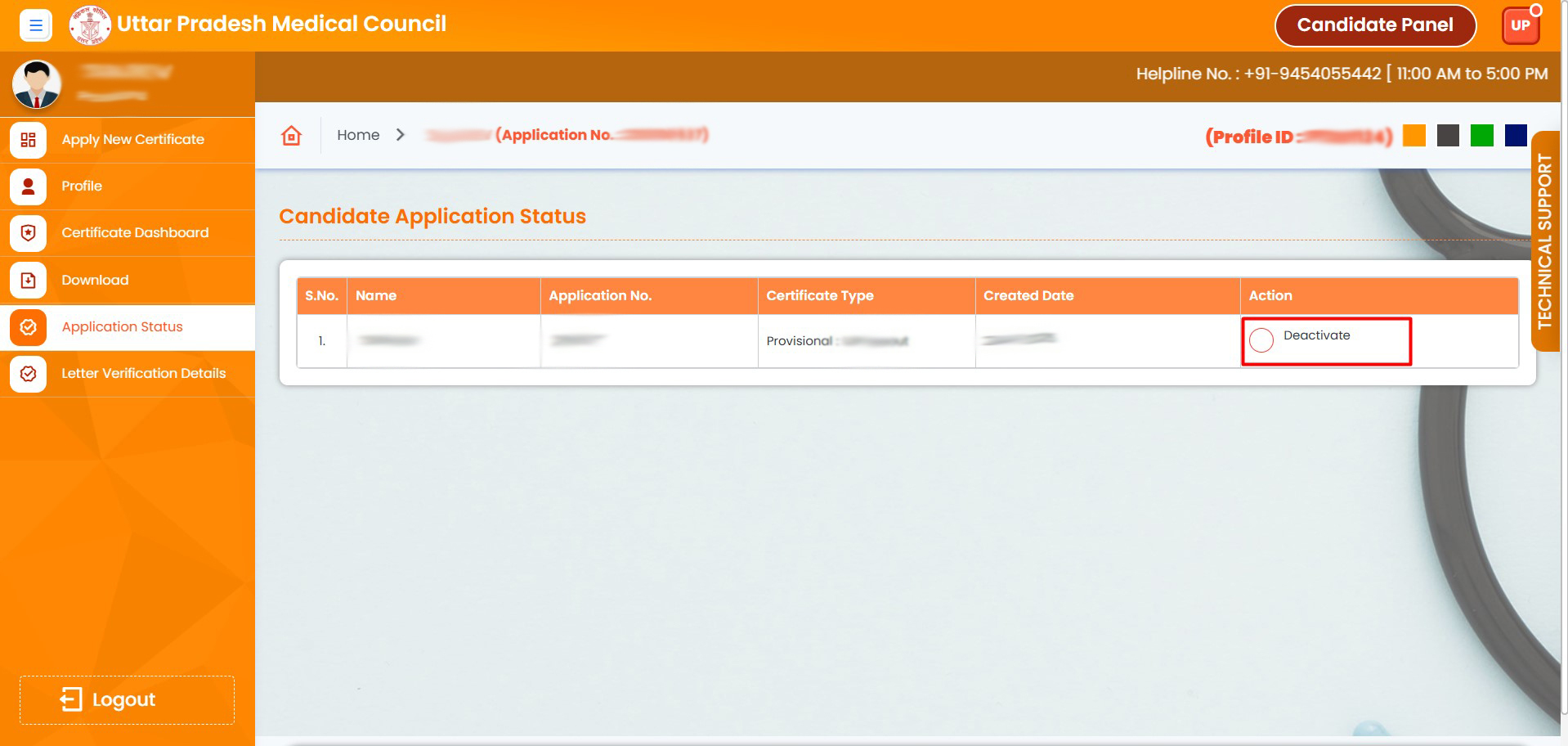
36. Please click on the "Deactivate" button to deactivate your application
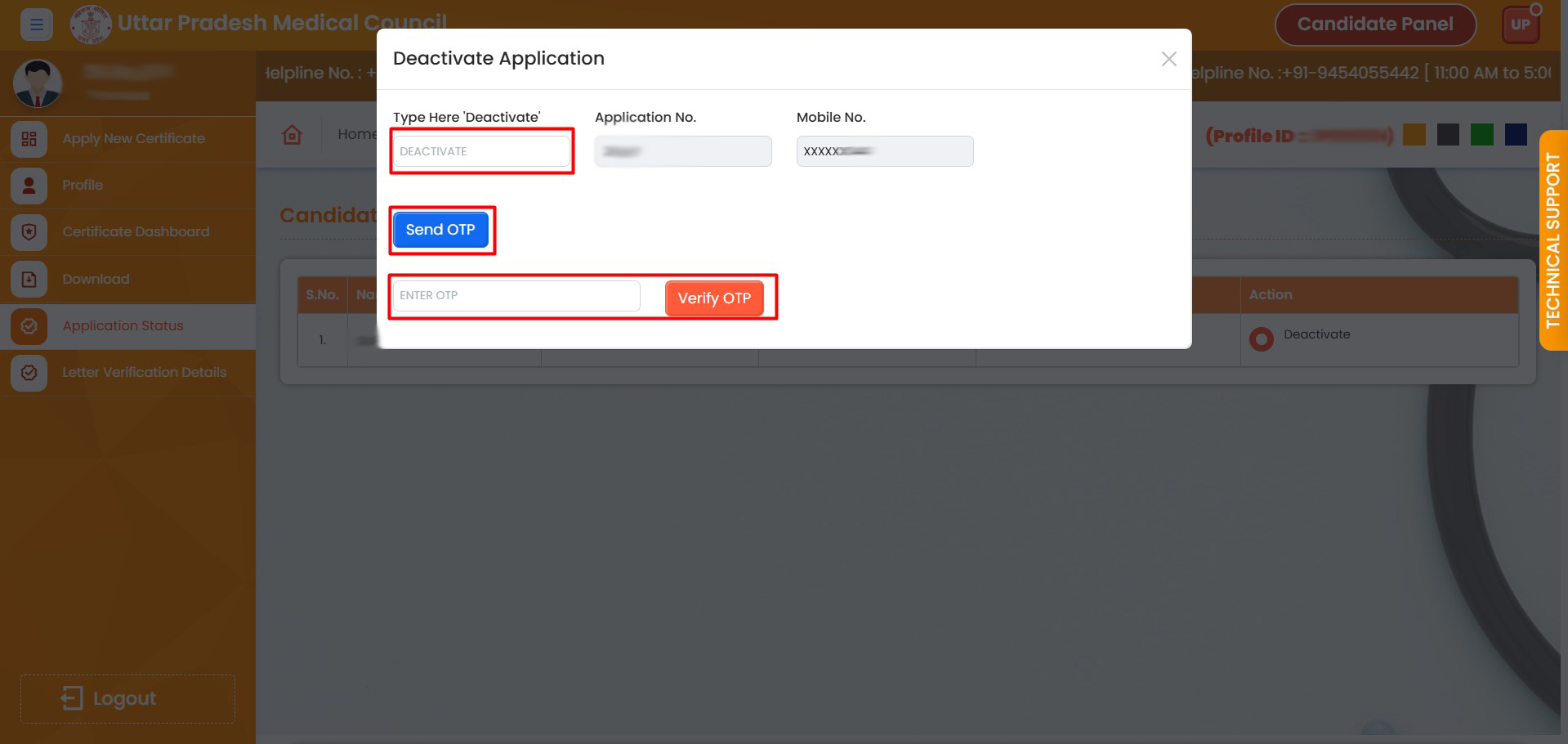
37. Enter "Deactivate" in the field, click "Send OTP", then enter the OTP and verify.
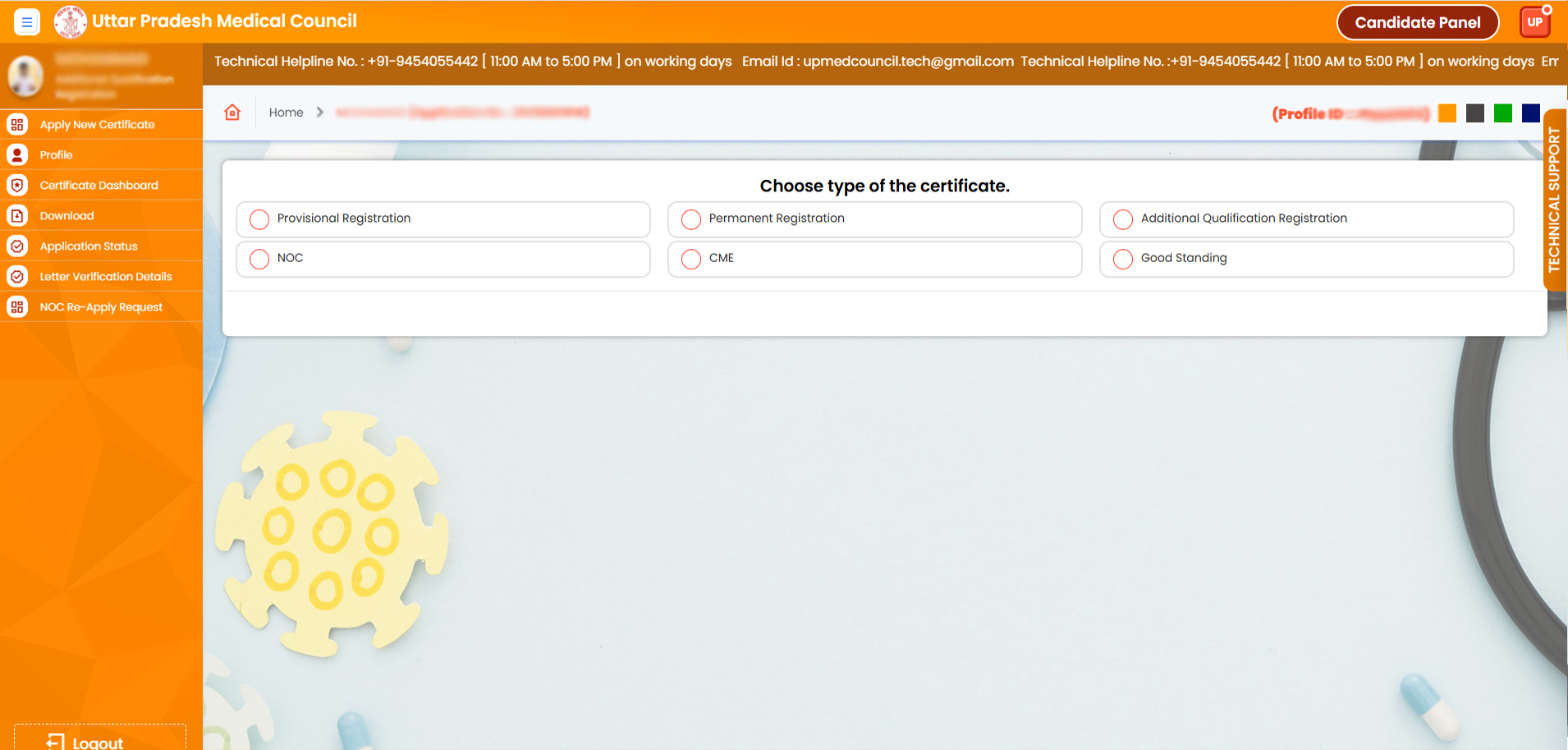
38. Your application has been deactivated. You can apply again for a fresh application